
One of the first steps to setting up your Ribbon site is to add vendors to your site.
You can manually enter vendors one at a time or add multiple vendors at once.
- Begin by logging into your Ribbon URL (companyname.meetribbon.com).
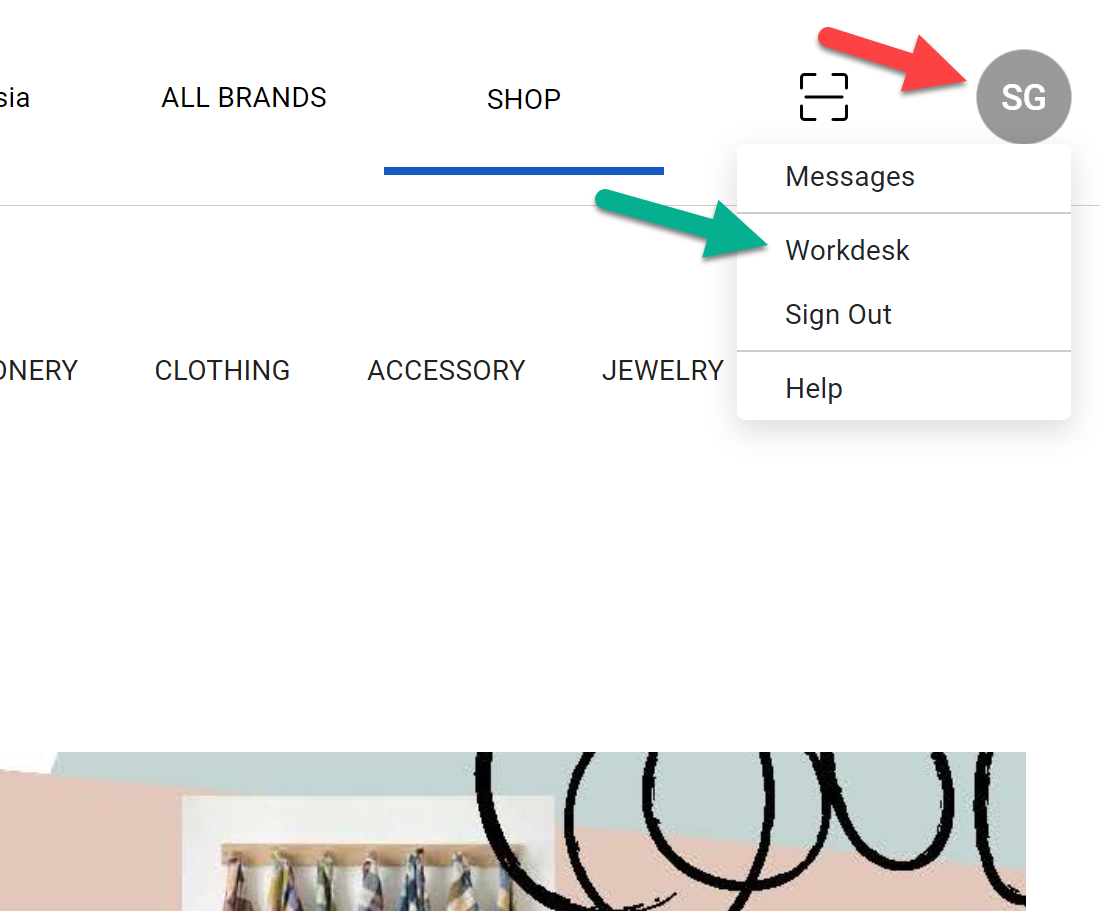
- Click on your initials in the upper right corner
- Then click on Workdesk
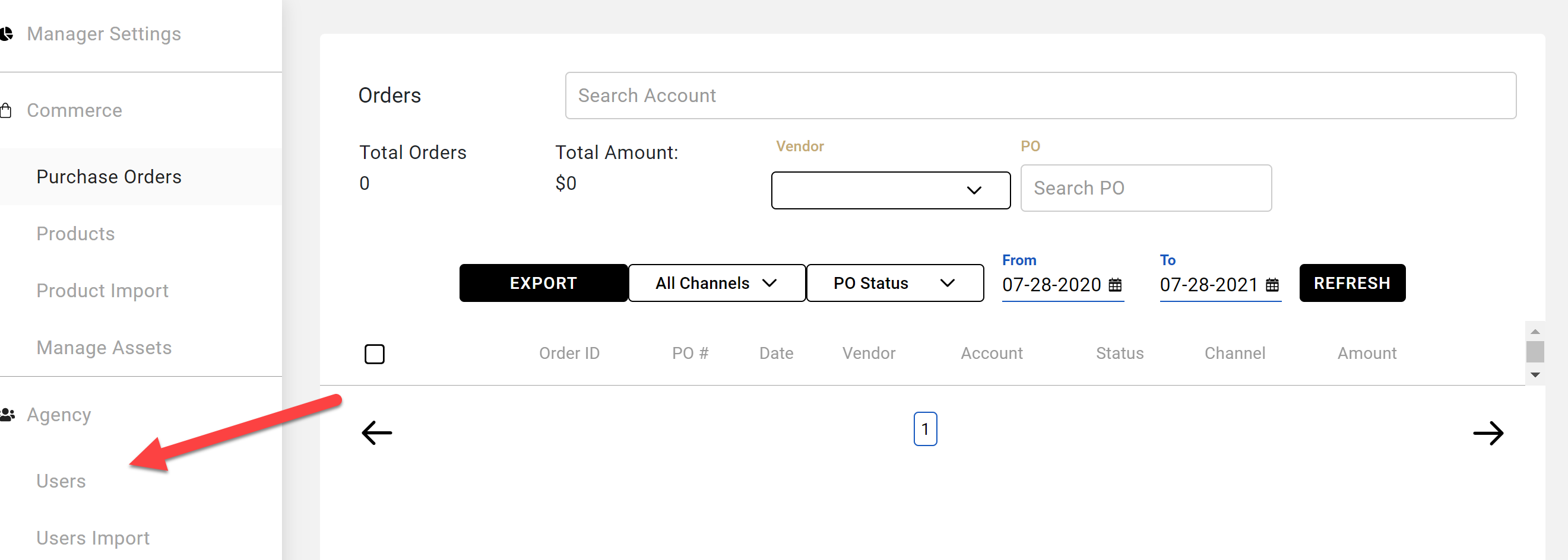
- Click on Users
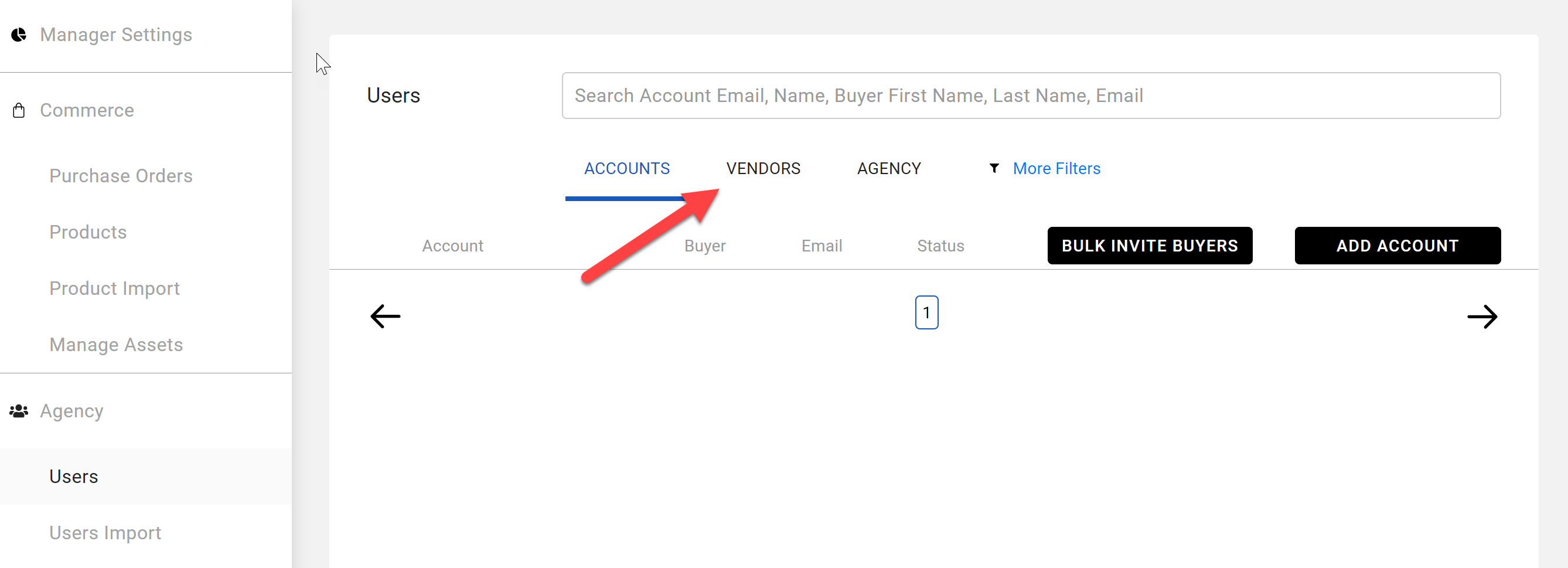
- Click on Vendors
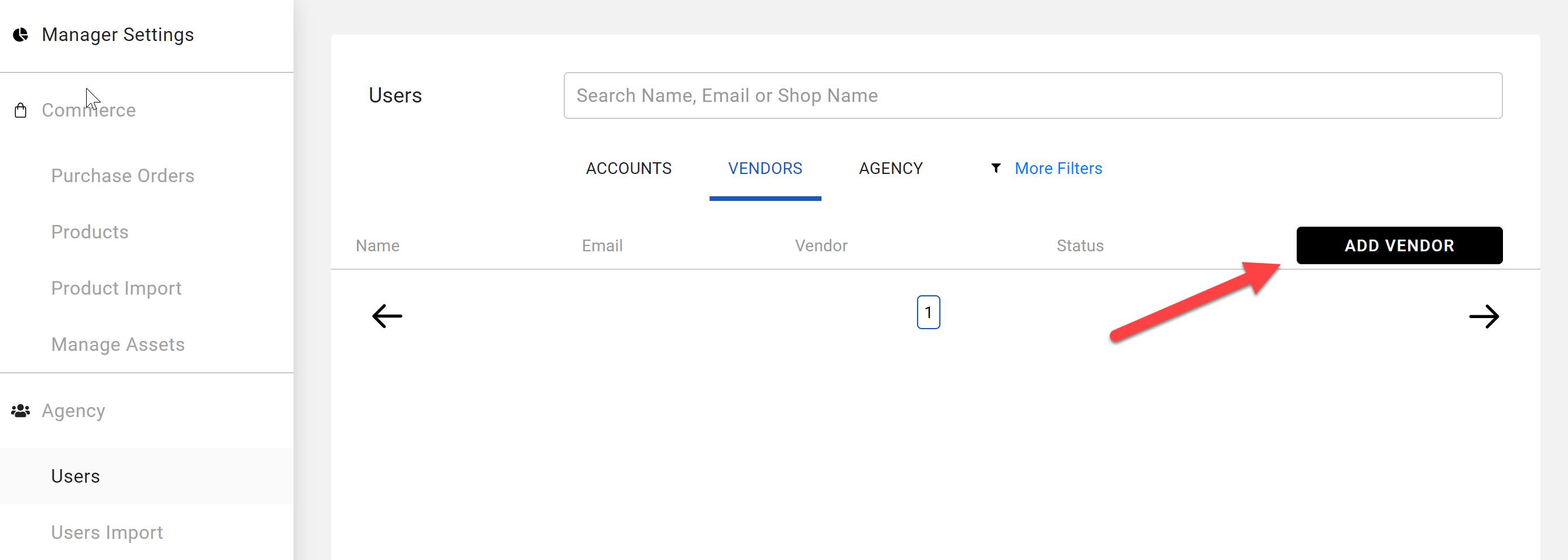
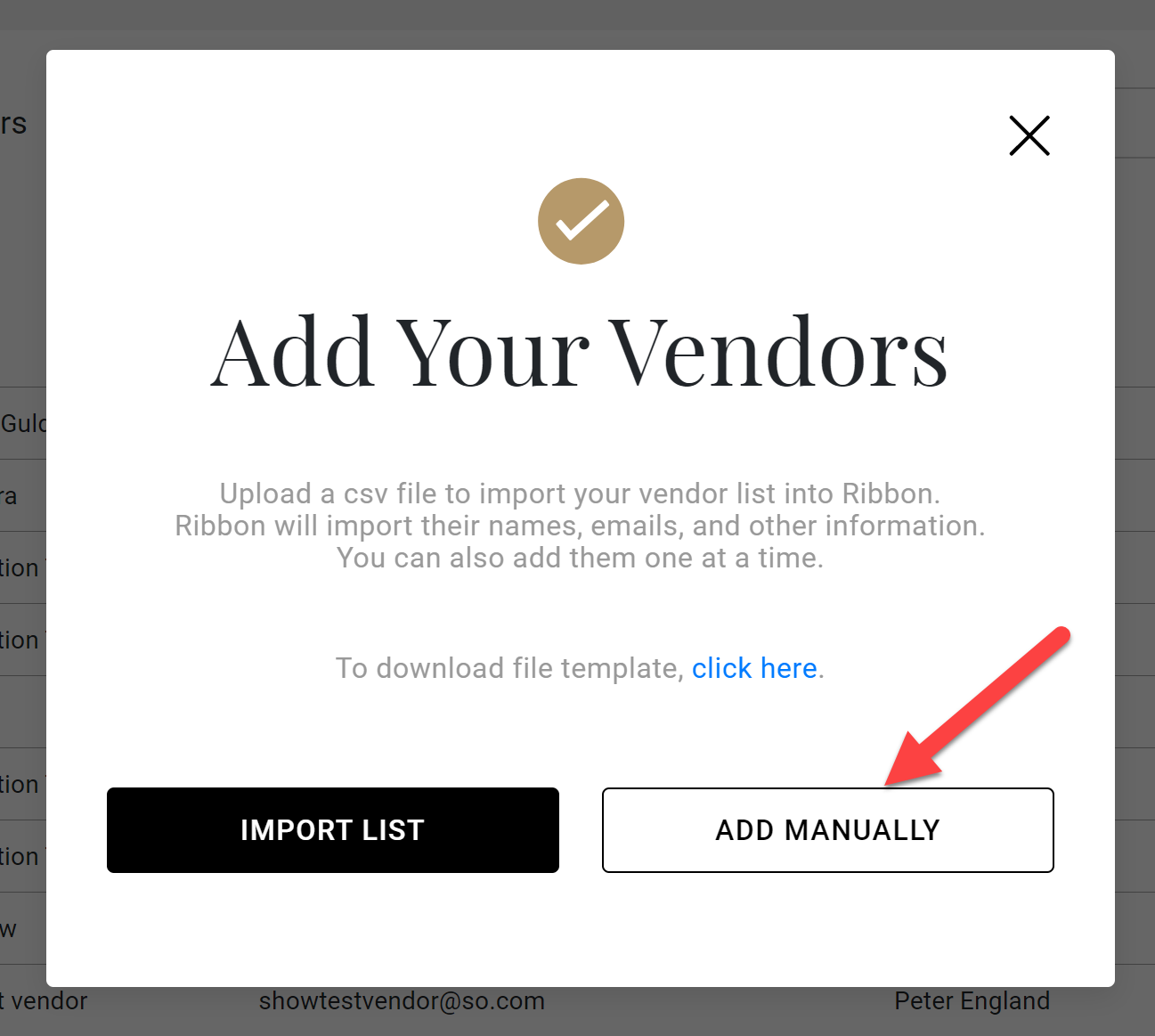
- Click on Add Vendors
- Click on Add Manually
- Complete form
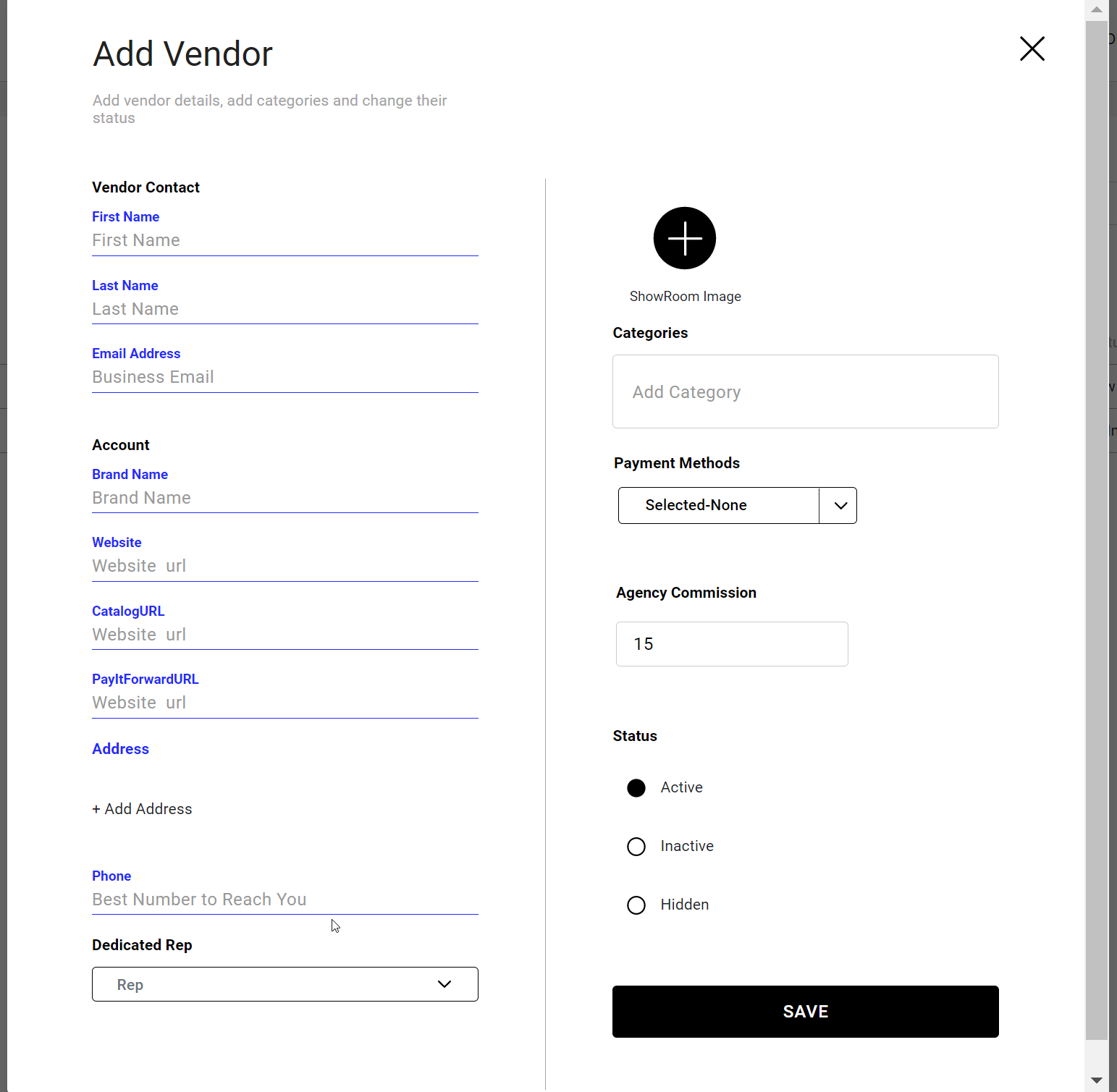
- Click Save
- The system will let you know if you did not complete a required field
Comments
0 comments
Please sign in to leave a comment.