
In order to bulk invite your buyers, you first need to save a CSV of only your buyers' emails. Make sure the CSV has the column header "Email"
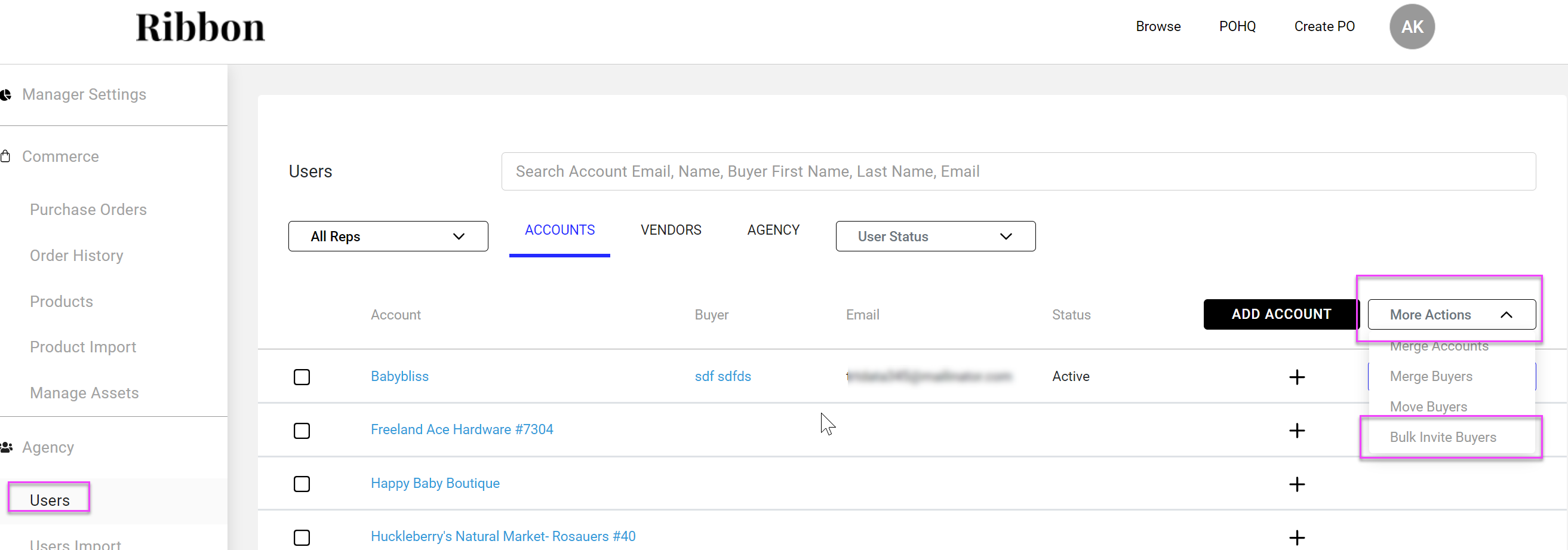
- Go to Accounts in the Users screen in your workdesk
- Click More Actions to the right
- Select Bulk Invite Buyers
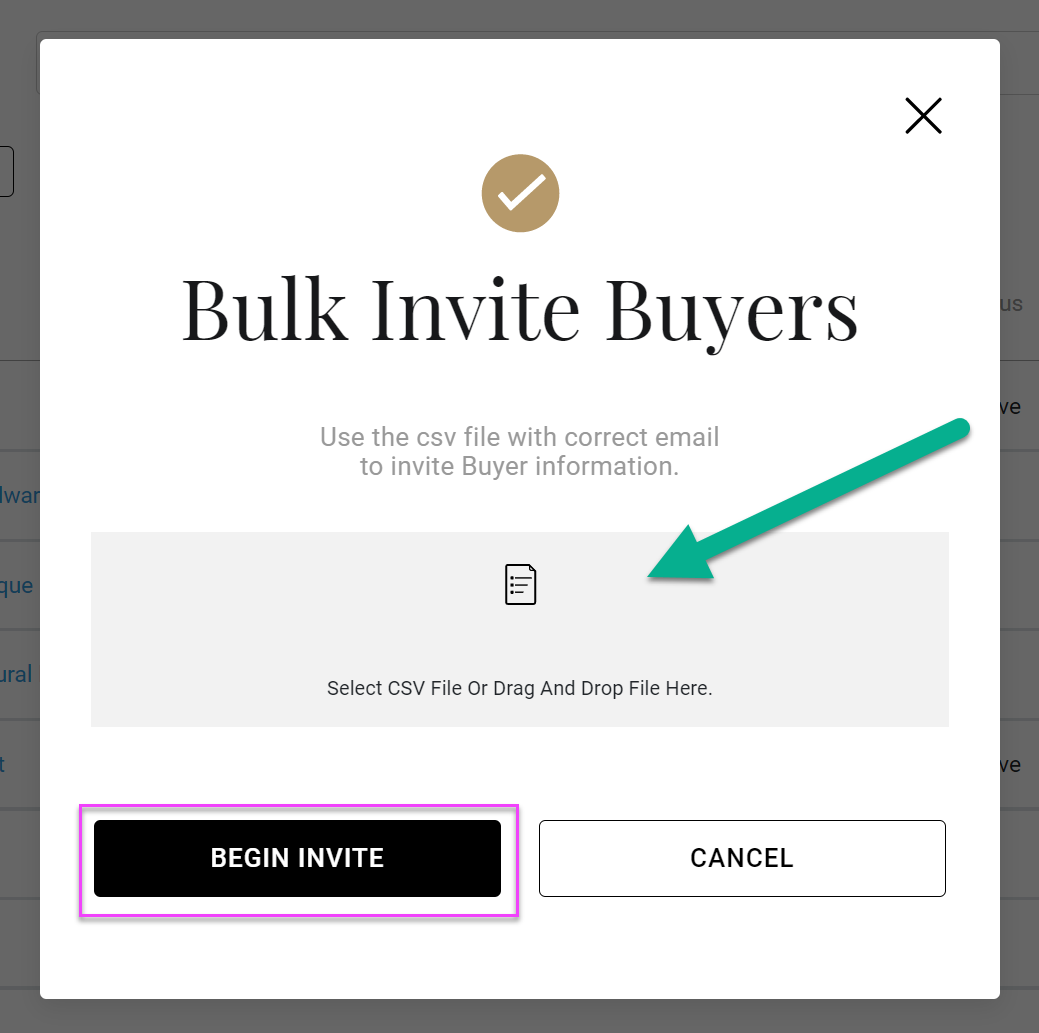
- Click Bulk Invite in the pop up
- Drag and drop your email CSV file
- Click Begin Invite
Comments
0 comments
Please sign in to leave a comment.