Show Mode allows your reps to have extra visibility to account information (outside their territory) and allows them to write orders for all accounts while at the show.
You will need to manually set each rep up to place orders at a show.
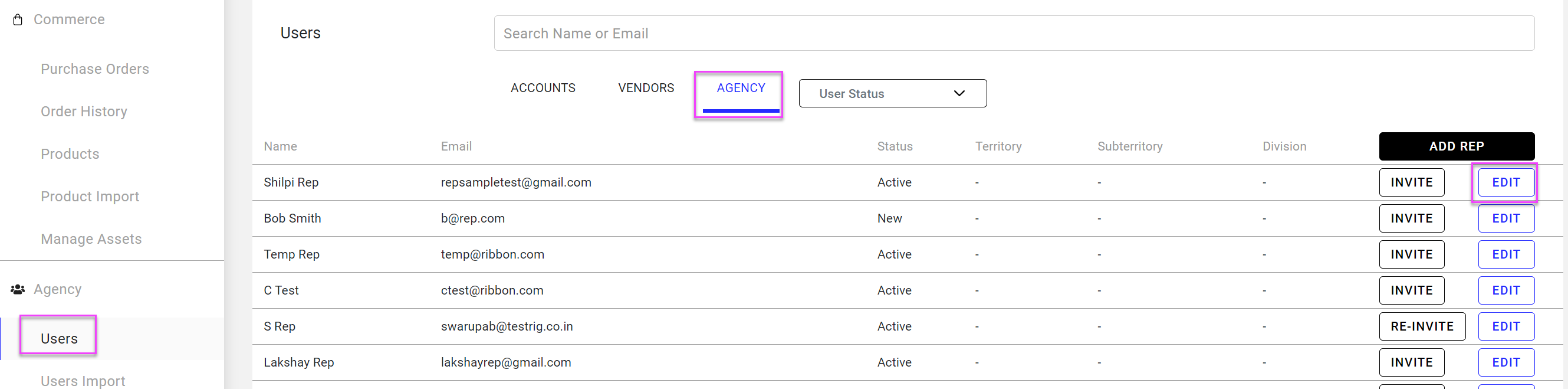
- In the workdesk, go to Agency in Users
- For all reps attending the show click Edit next to the rep name
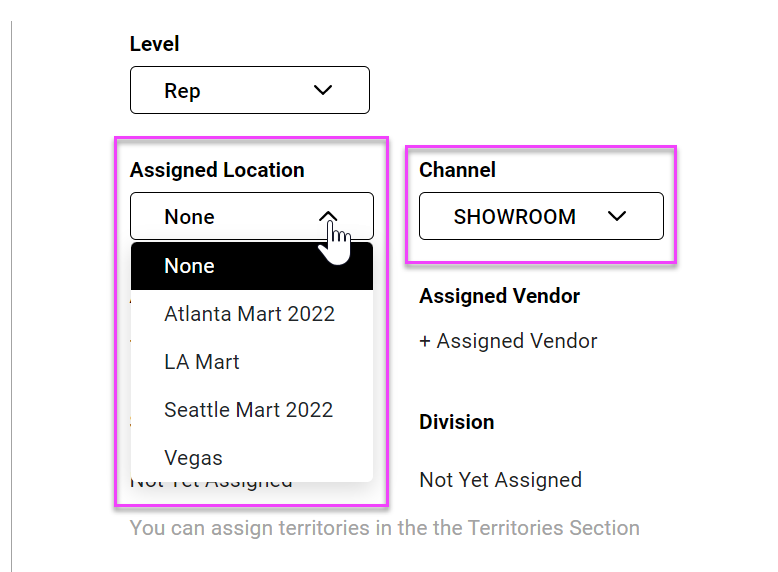
- In the pop up screen change Channel to "Showroom" and Assigned Location to the show they are attending
- Note: You may need to first set up the show location in the settings (see below for details)
- Save changes by clicking Update
- Note: You will need to reset all reps back to their default settings after the show (Channel: Road, Assigned Location: None)
Adding Show locations to your site
- In the workdesk go to Settings
- Go to Business Settings
- Click +Add Sales Location
- Fill in information for show and click Add
- Click Update Info
Comments
0 comments
Please sign in to leave a comment.