
Vendors now have the ability to use the Authorize & Capture feature when collecting payments.
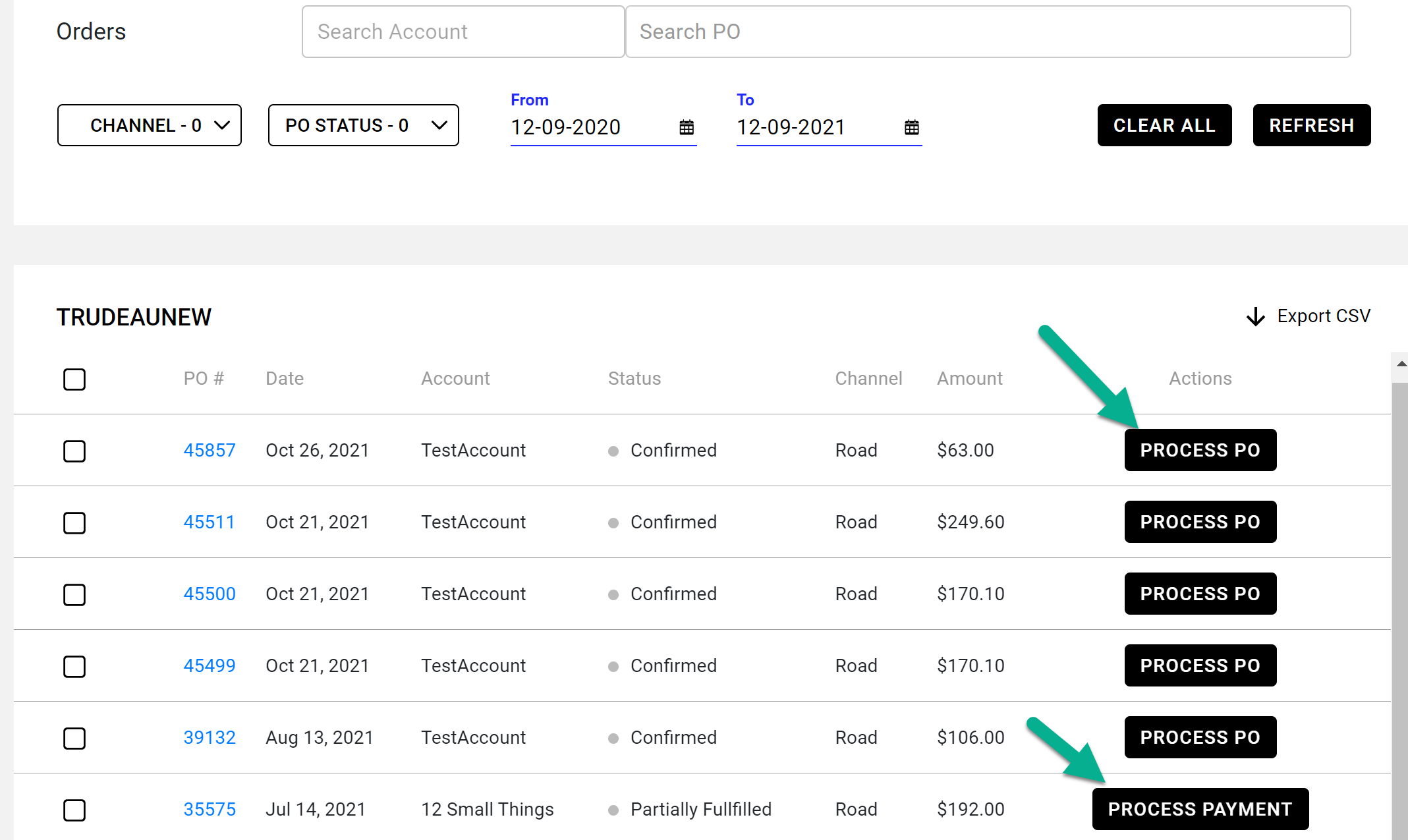
- Look for the PO in workdesk
- Click on Process PO (for new orders) or Process Payment (for partially fulfilled orders)
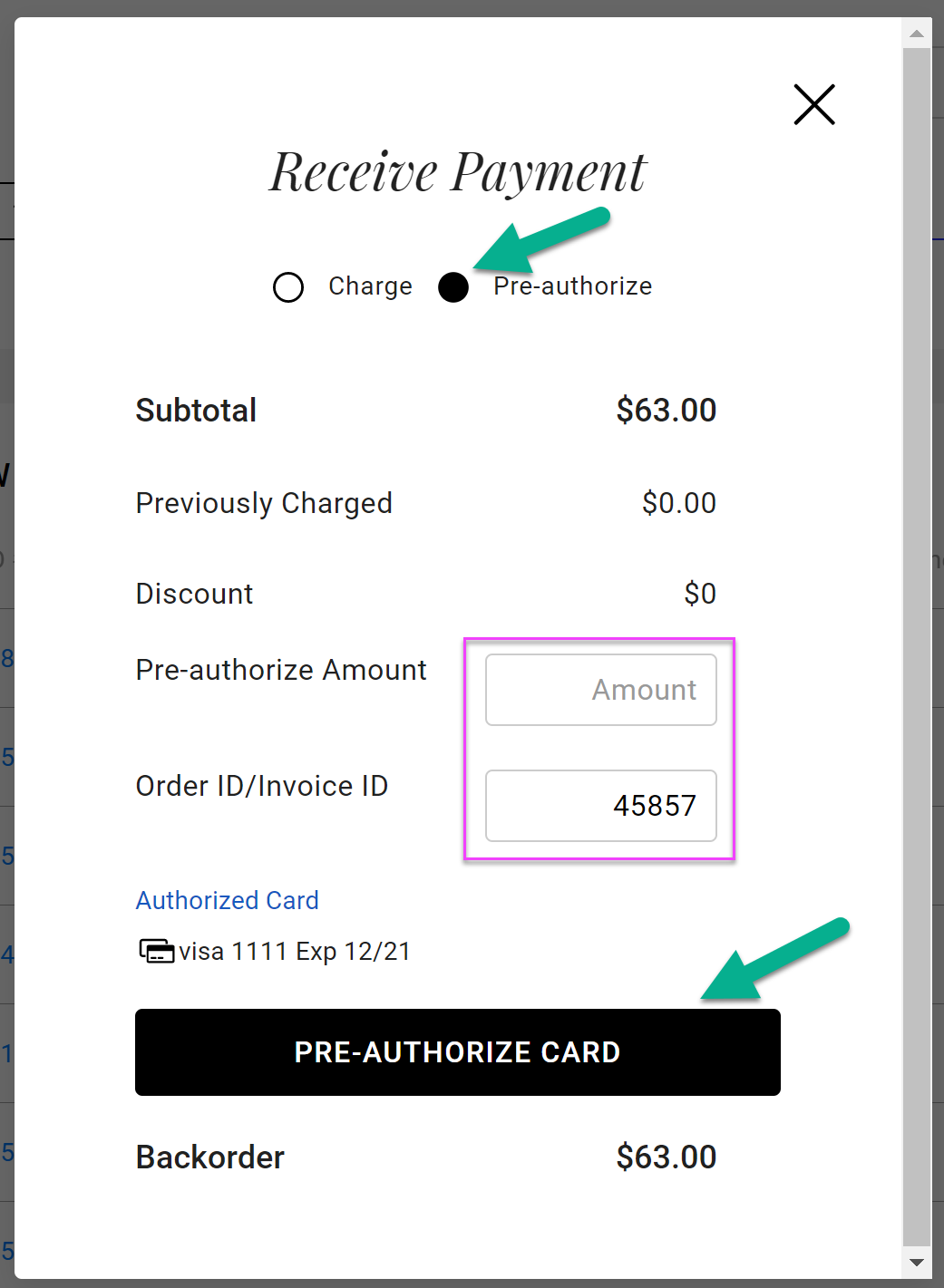
- Select Pre-authorize
- Fill in pre-authorize amount (partial charges, shipping, etc)
- Optional: update the Order ID/Invoice ID
- Click Pre-Authorize Card
To capture a payment
- Go back into the process pop up
- Fill in the Charge Now & shipping
- Make sure the correct authorization is selected at the bottom
- Click charge now
Comments
0 comments
Please sign in to leave a comment.