
Video tutorial on writing an order in Ribbon as a Vendor
Written Instructions:
Do you have a buyer ready to place an order? Great! As an exhibitor, you can now write orders at your booth, collect credit cards and revise orders with the app. Just follow these steps:
Go to Order HQ
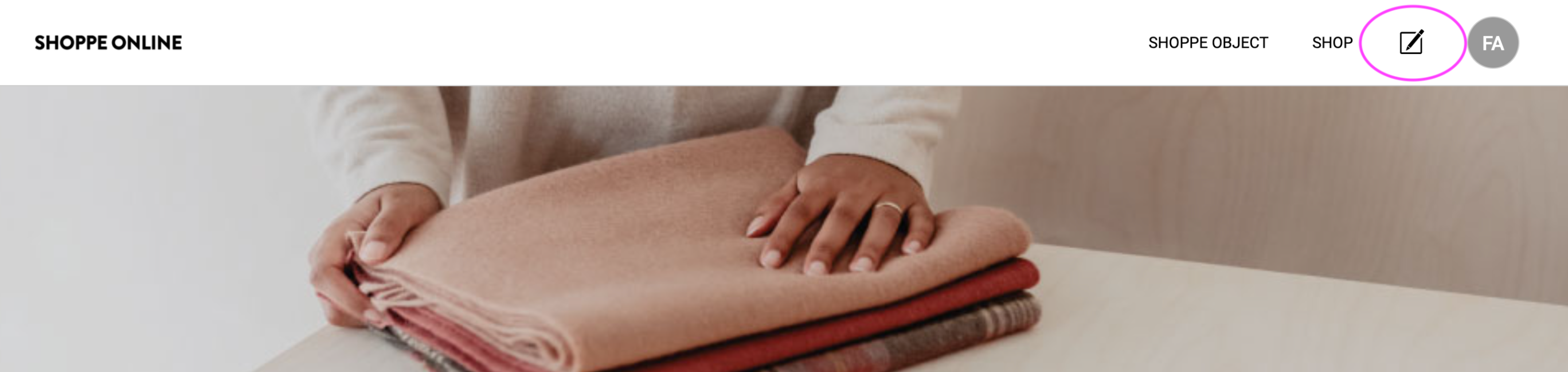
After logging in at shoppeobject.meetribbon.com, click on the Order Writing Icon. You'll navigate over to Order HQ
Start a Purchase Order
Click on "Create Purchase Order" to select a buyer and pull up your collection. 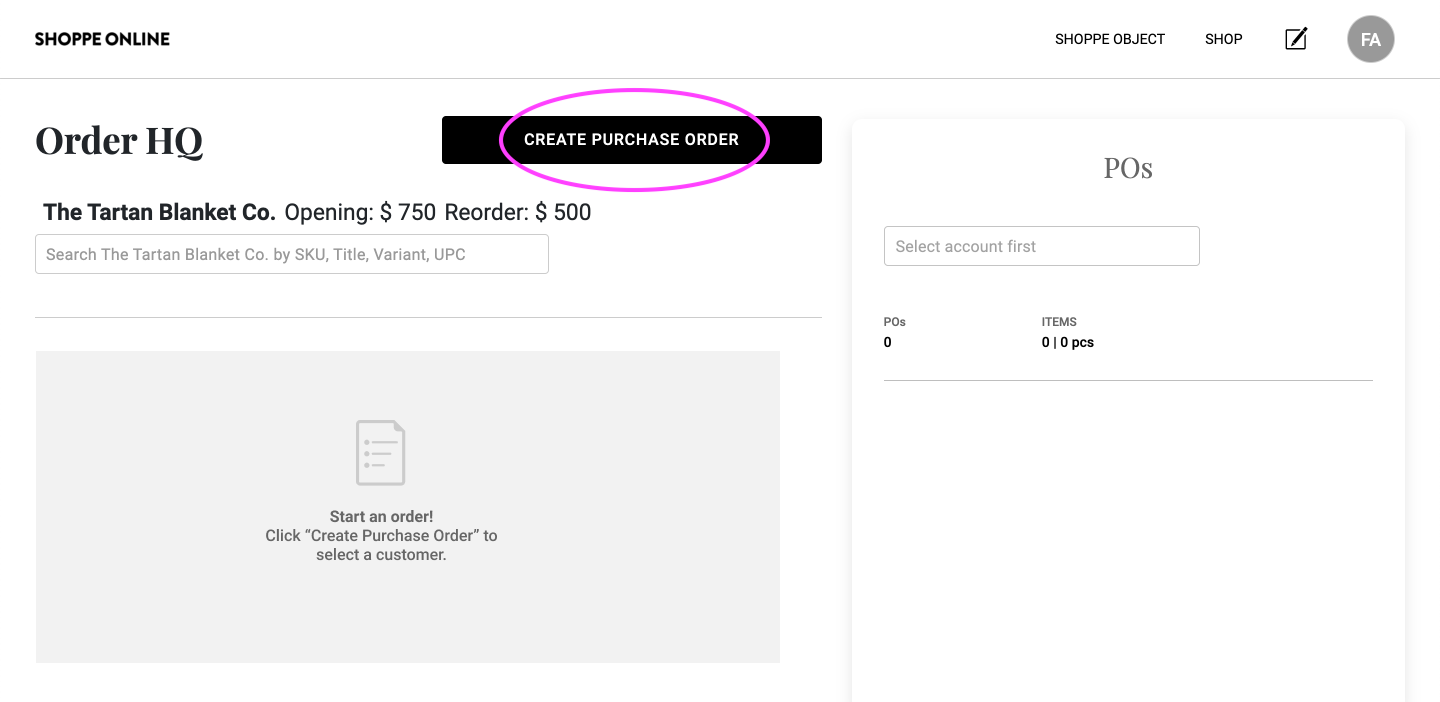
Select a Buyer with QR Scan or Search
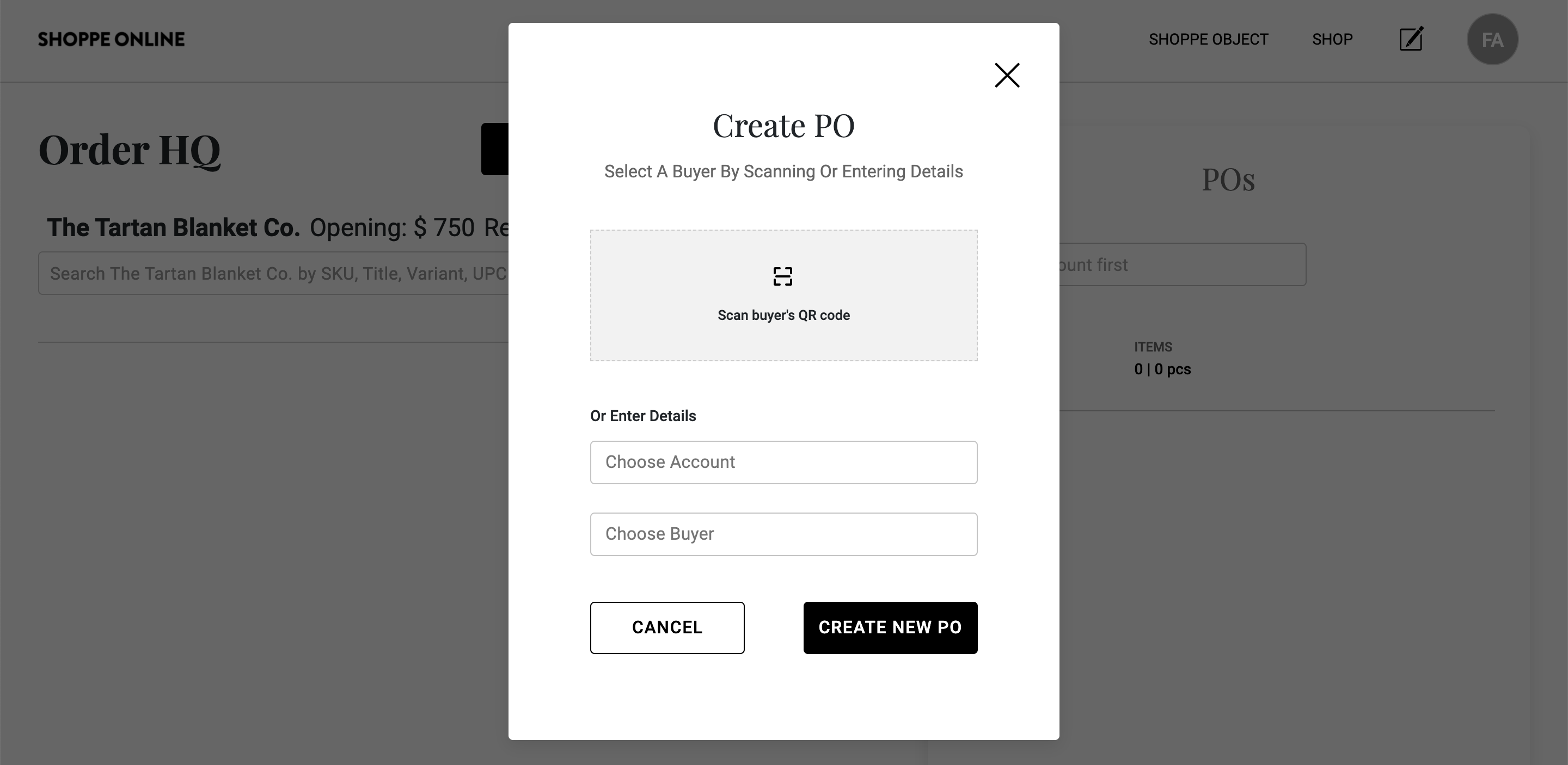
To select a buyer, you can either scan buyer's QR code. Or You can search in the "Choose Account". If the buyer has their QR code handy, go ahead and scan it. 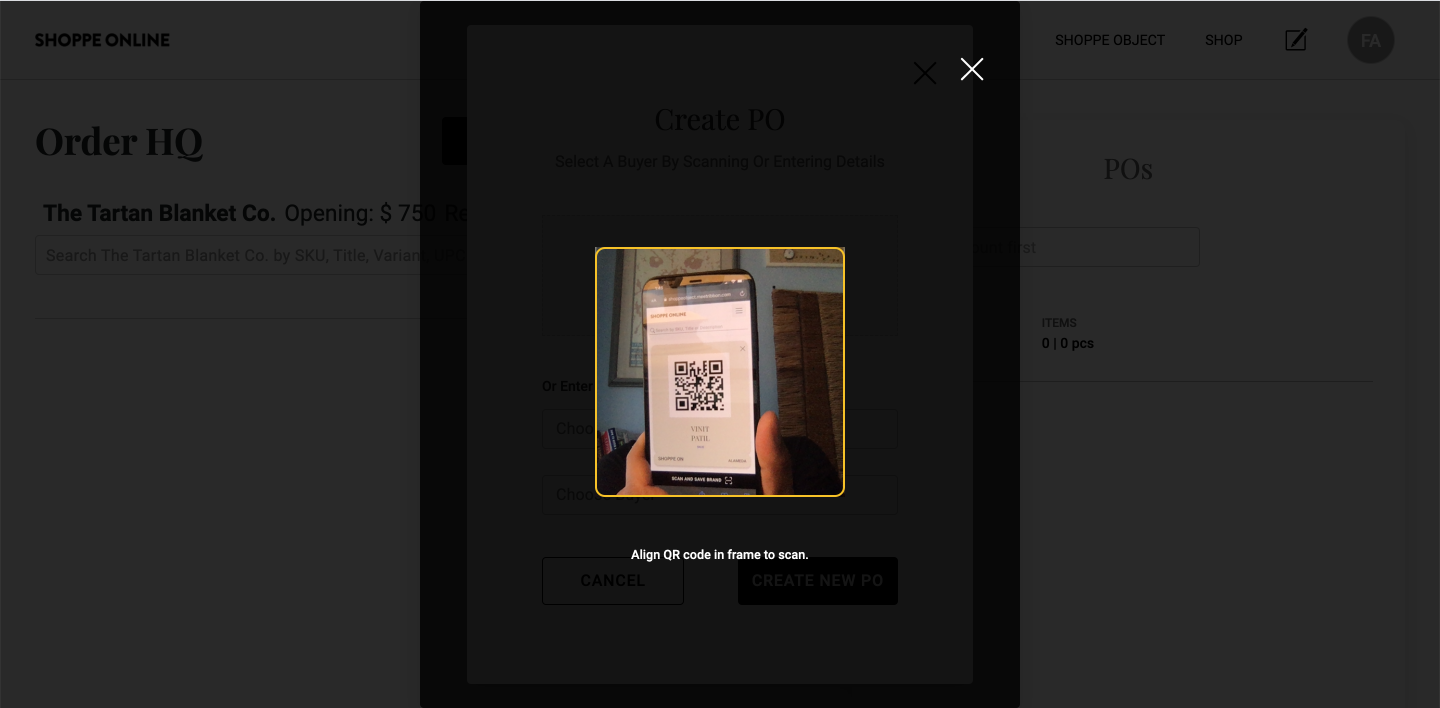
Confirm Customer Info
Account and Buyer info will auto-fill once you scan or start filling the fields. Click Create PO to start. 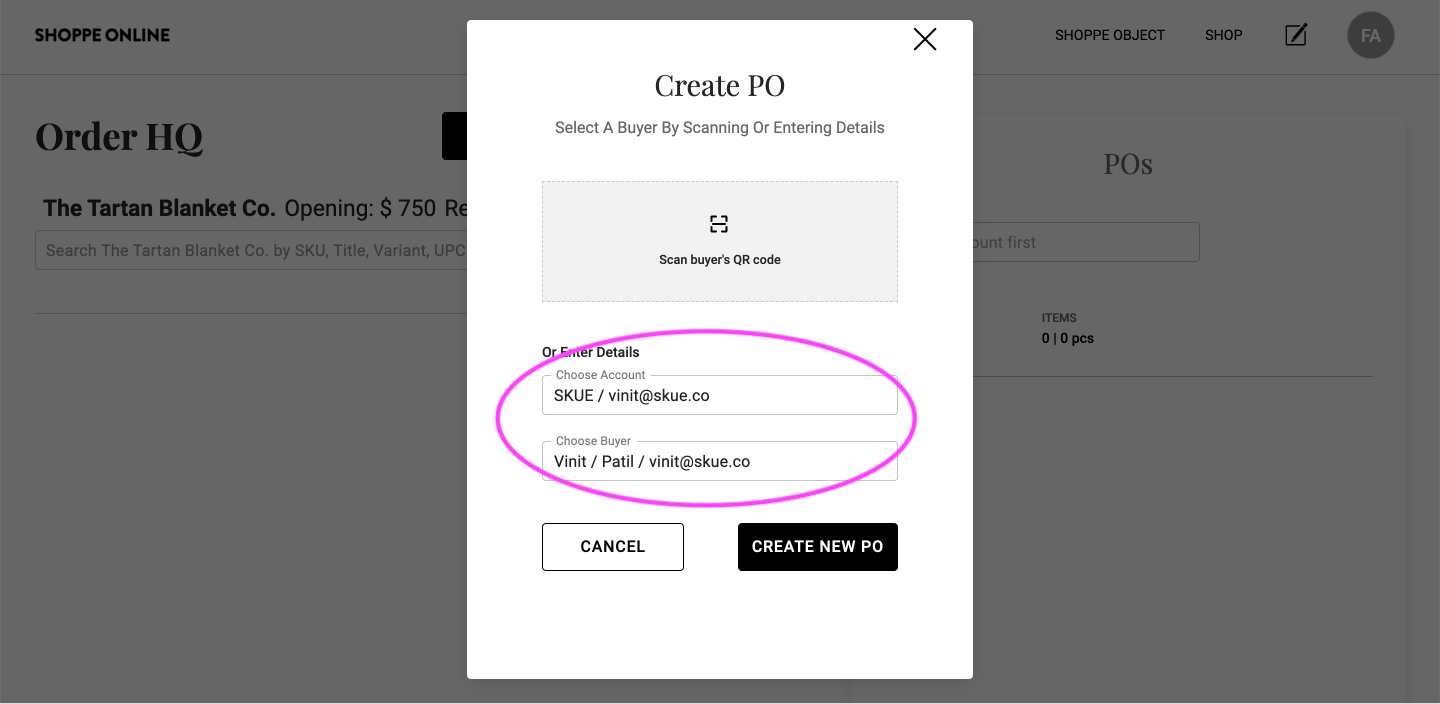
Add Items to the Cart
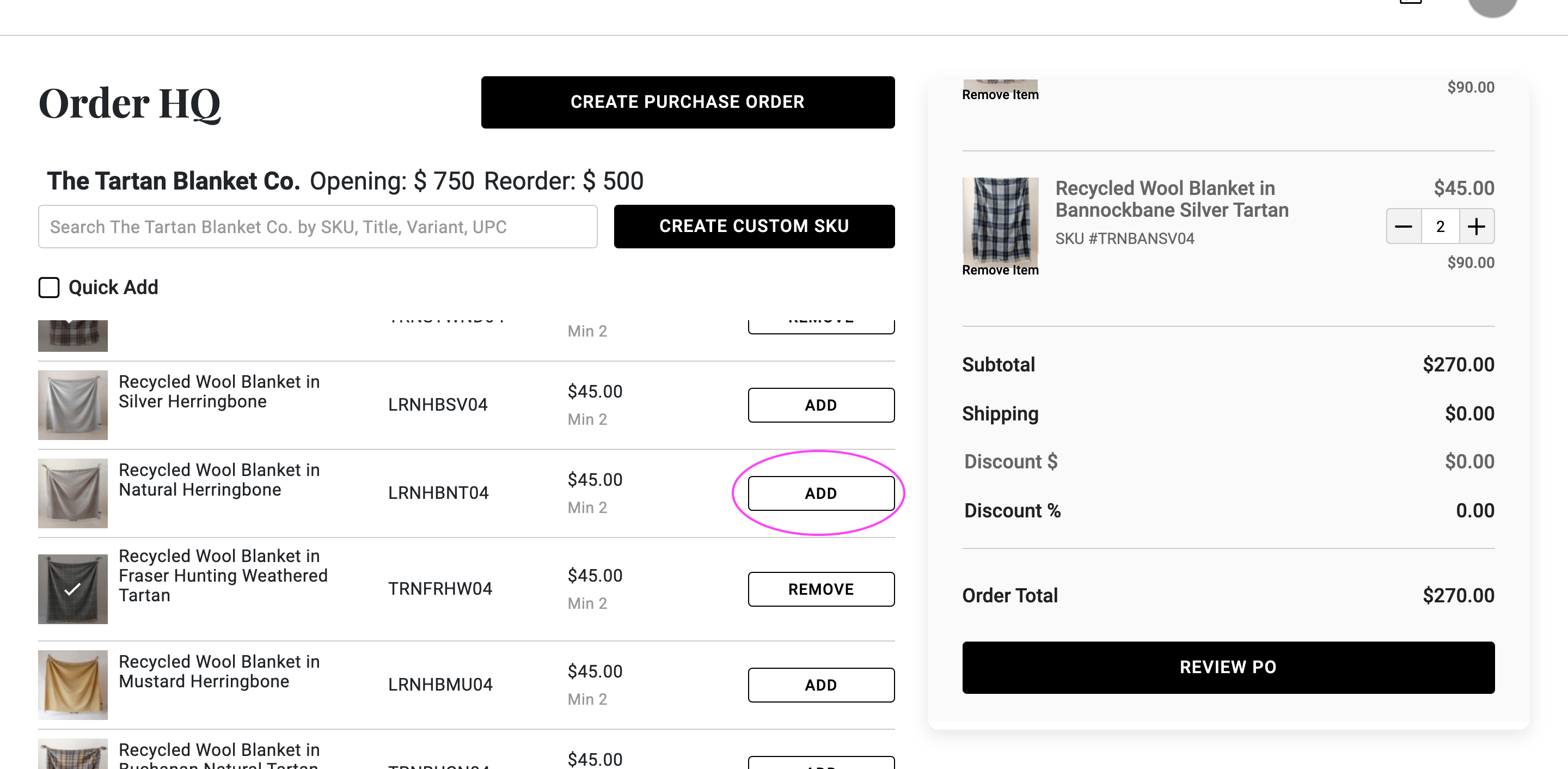
Once your collection loads, search for the SKU and start adding items to your order.
PRO TIP: Custom SKUs
Couldn't add a last-minute item to your collection? Click on "Create Custom SKU"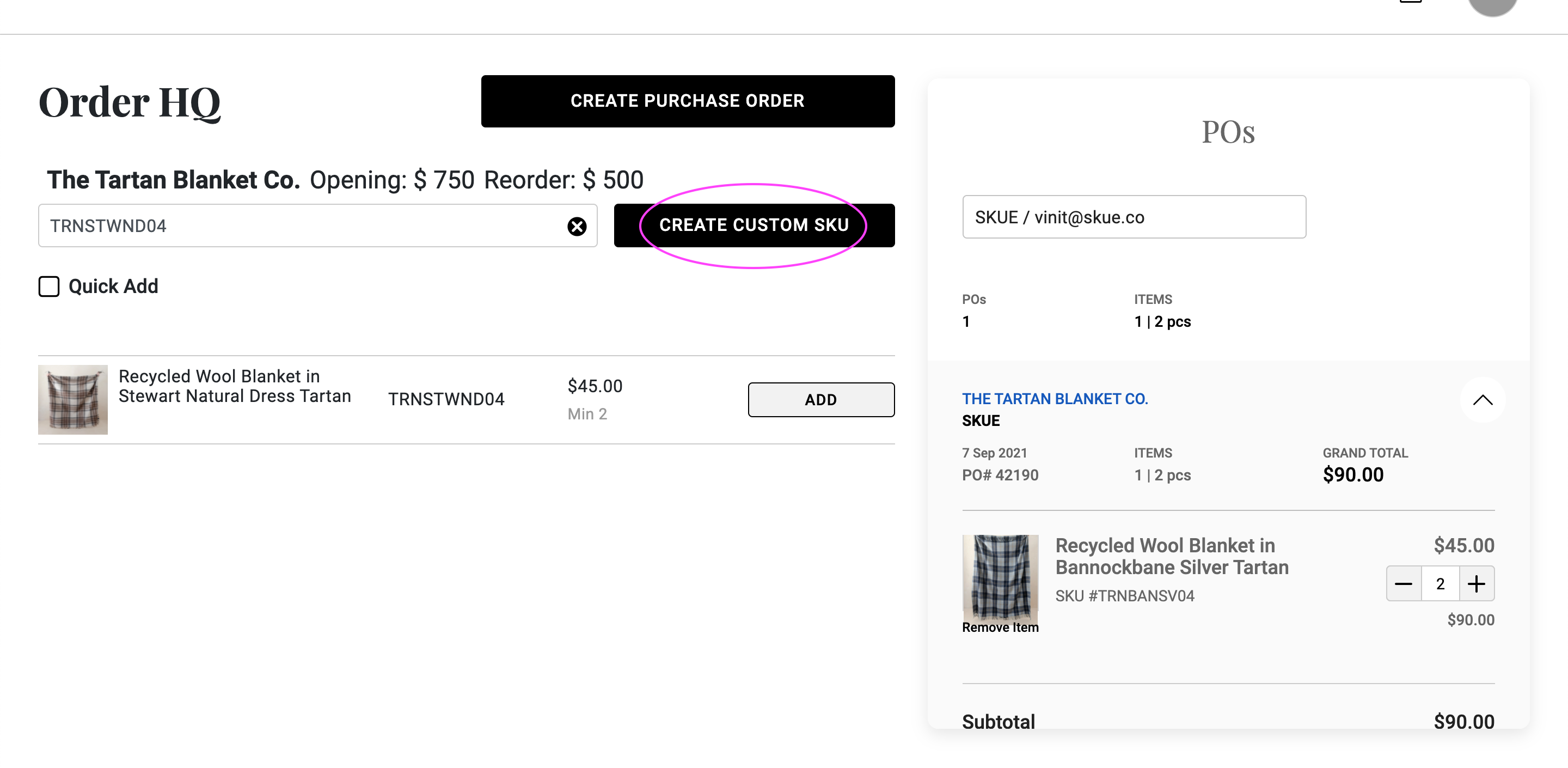
Create Draft Order
Once you're done, click review PO to create a draft order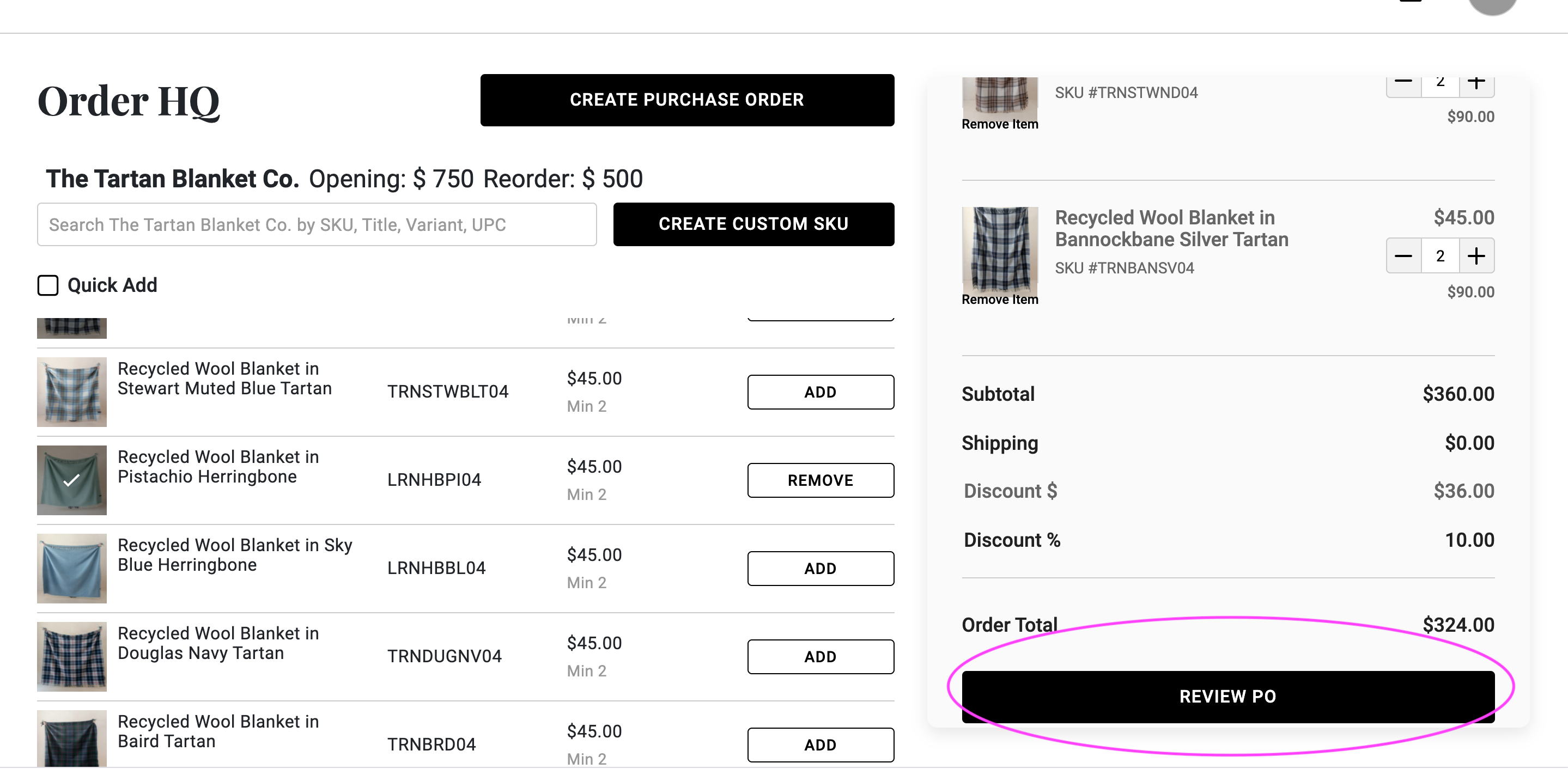
Fill Out the PO Details
Most of the fields will be pre-filled with the buyer's information. Update sections like a new shipping address, ship date or notes. 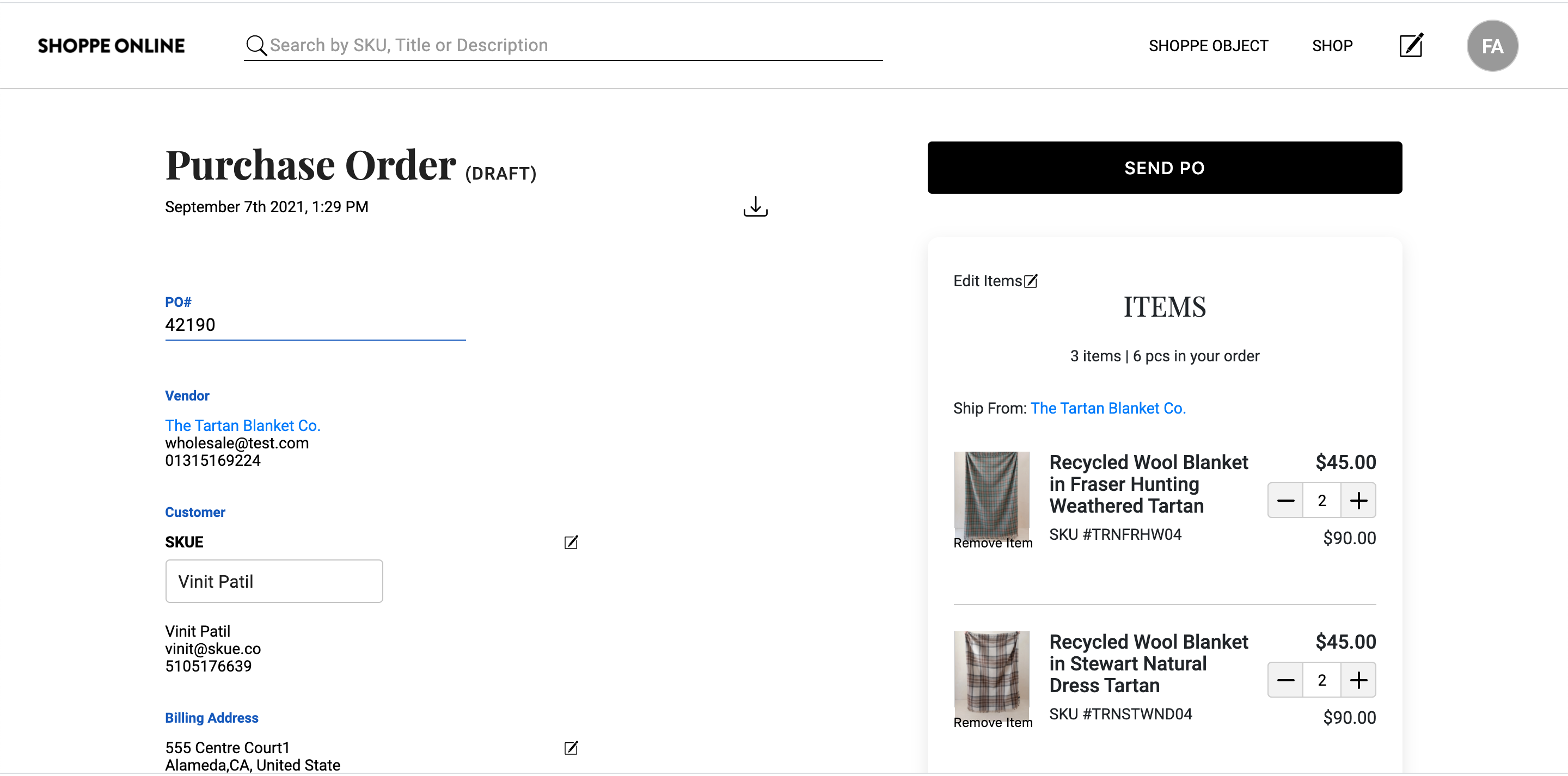
Capture Card Info
If the buyer offers a card, you can save the details (with full PCI compliance) for repeat use. Cards can be charged later after working out shipping costs etc. No need to reach out to the buyer again. 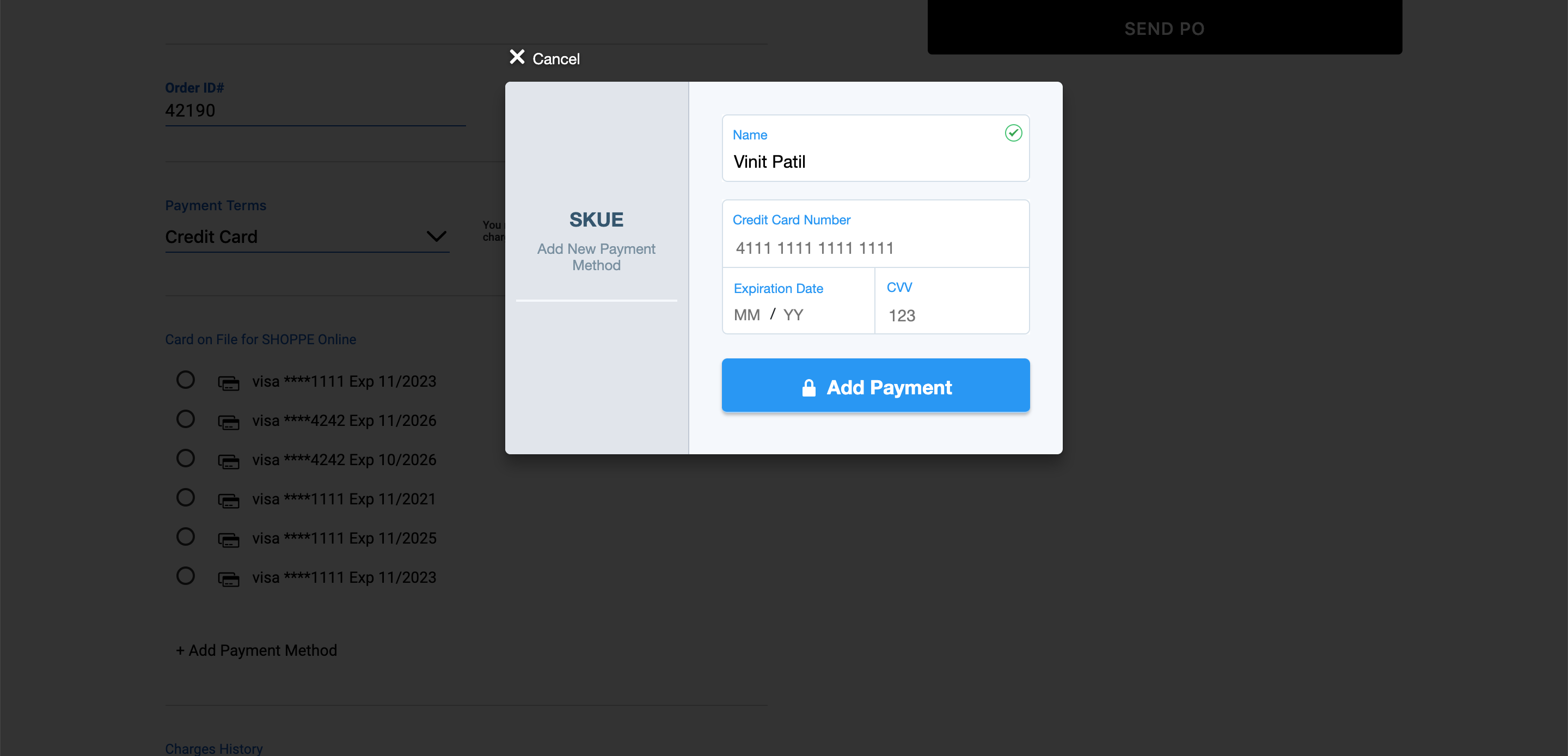
PRO TIP: Edit Items
You can edit an order until you confirm by clicking "Edit Items"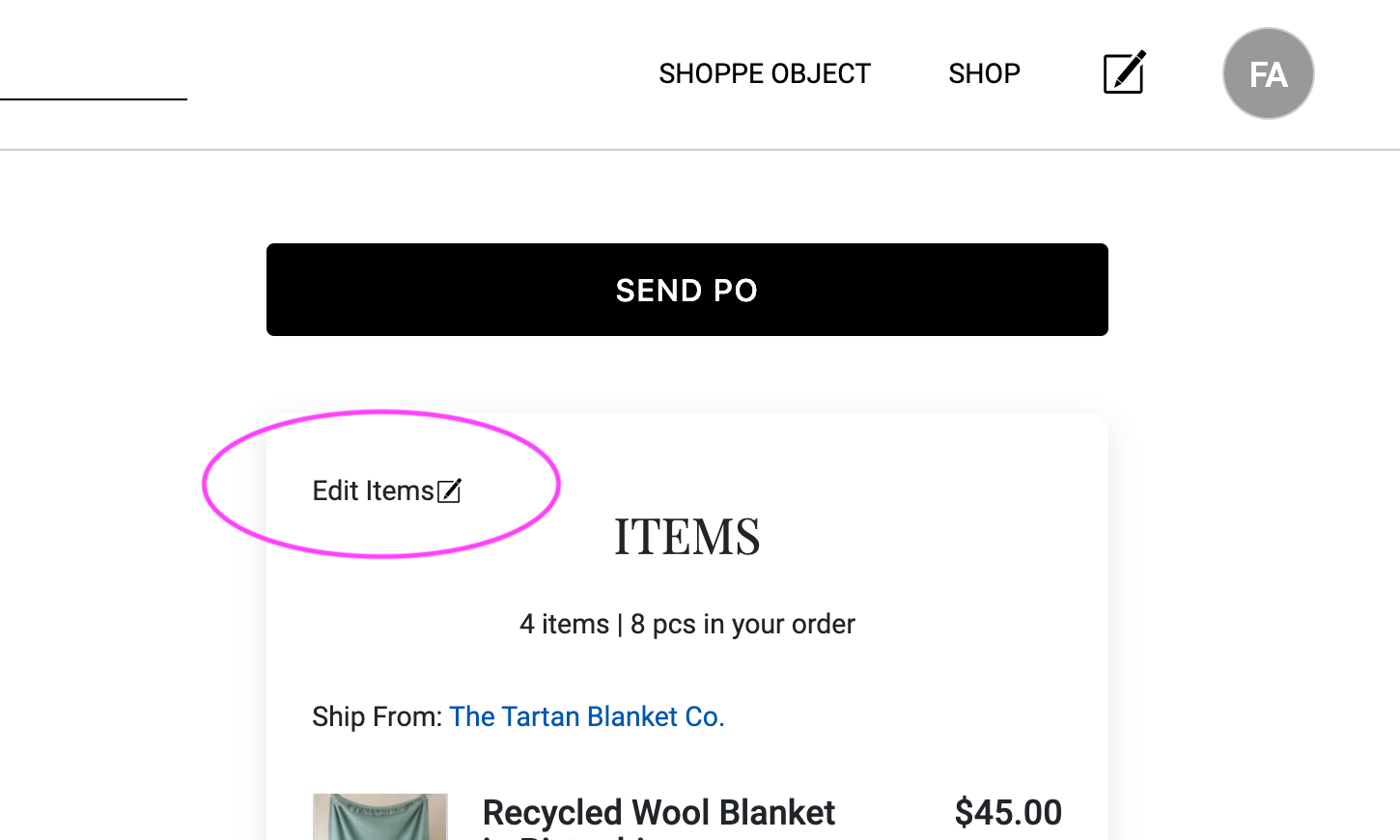
Confirm PO
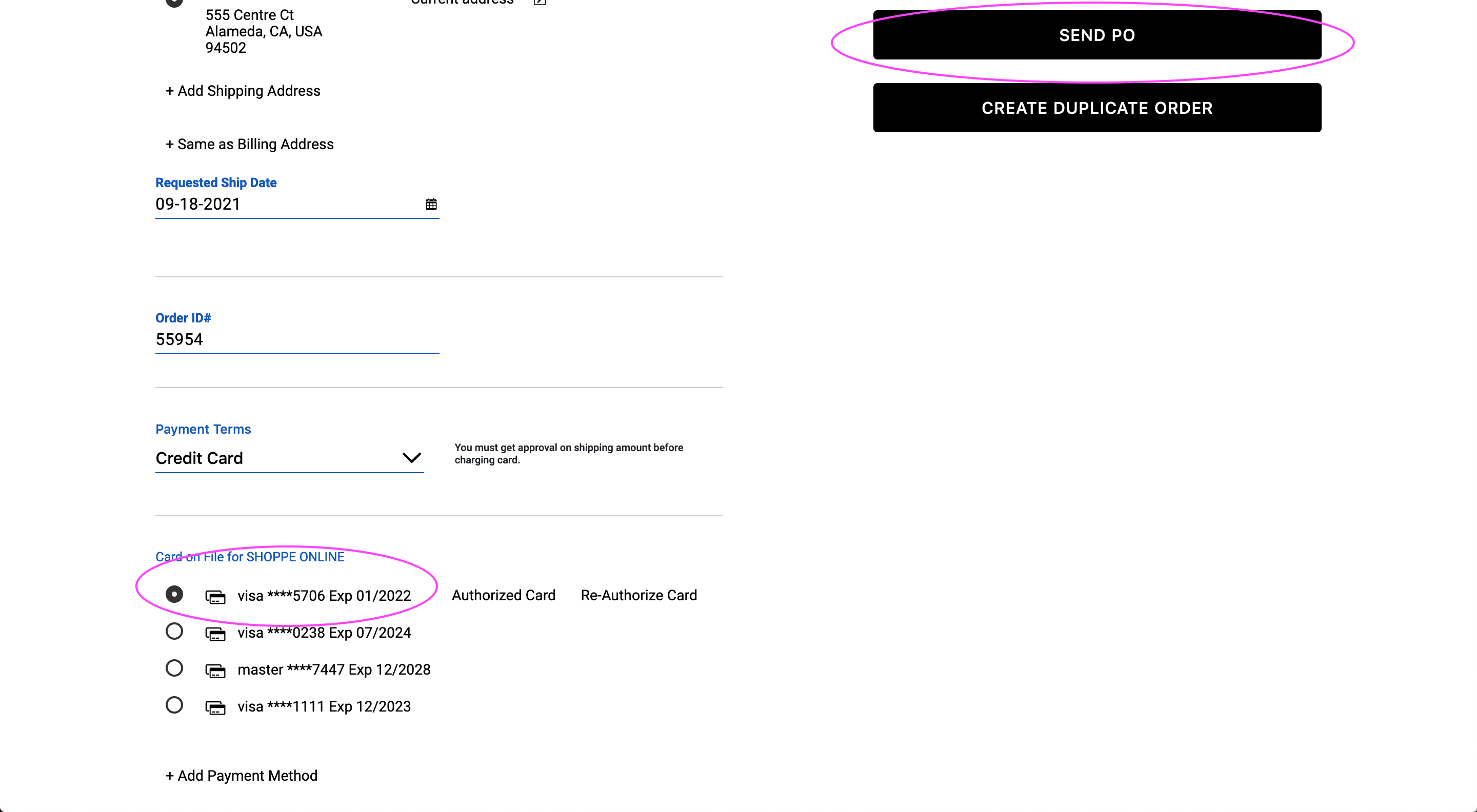
Click "Send PO" to confirm. Both you and the buyer will receive a confirmation email. 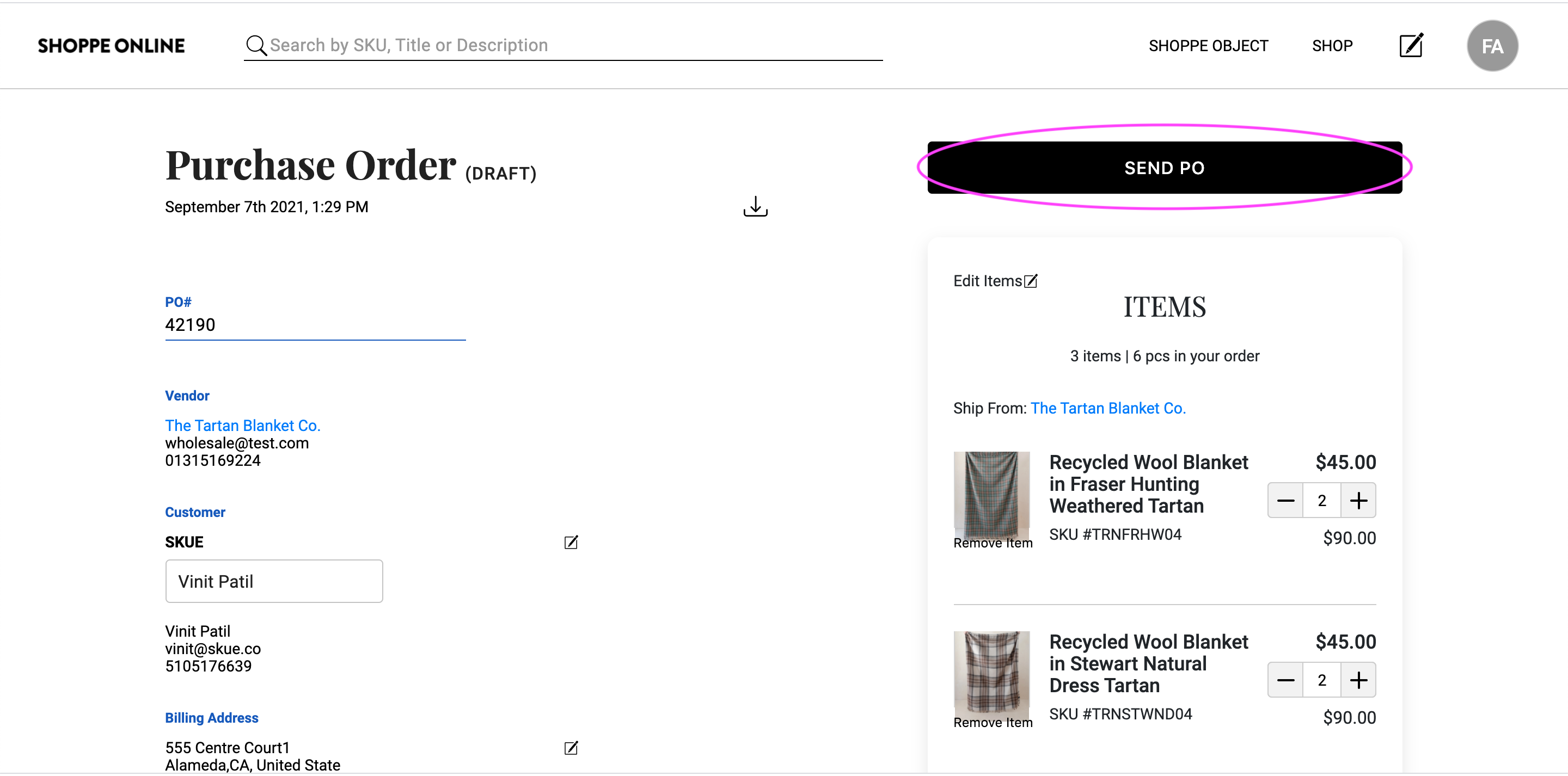
Confirming the PO (When you have a credit card)
Select the card first and then Send PO
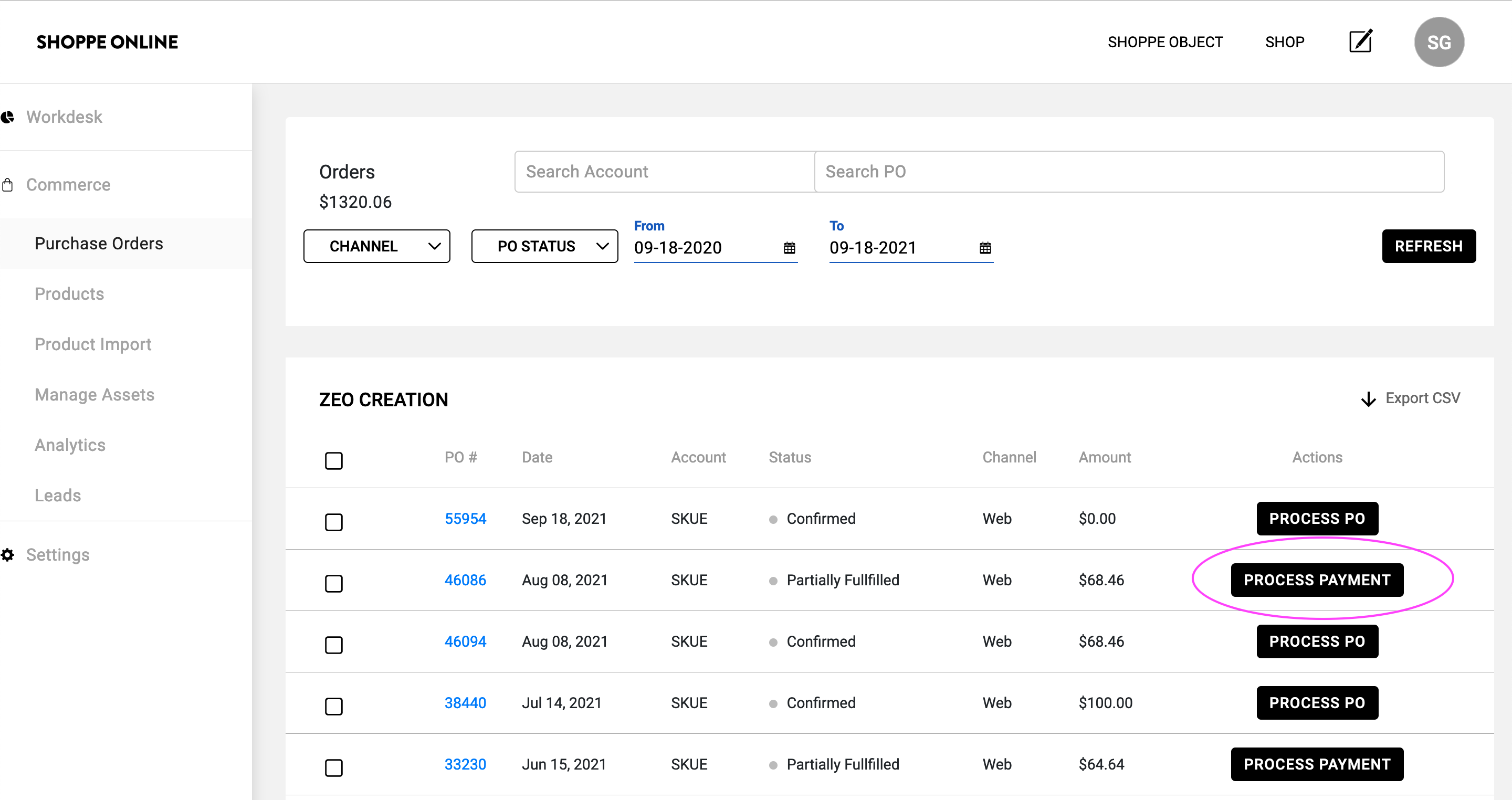
Process Payments
Go to the workdesk, find a process payments button and click on it to find the purchase order
Charge the Card
Whenever you are ready, after you figure out shipping costs, you can add shipping amount and then charge the card. You can also add a partial amount if some items are in backorder.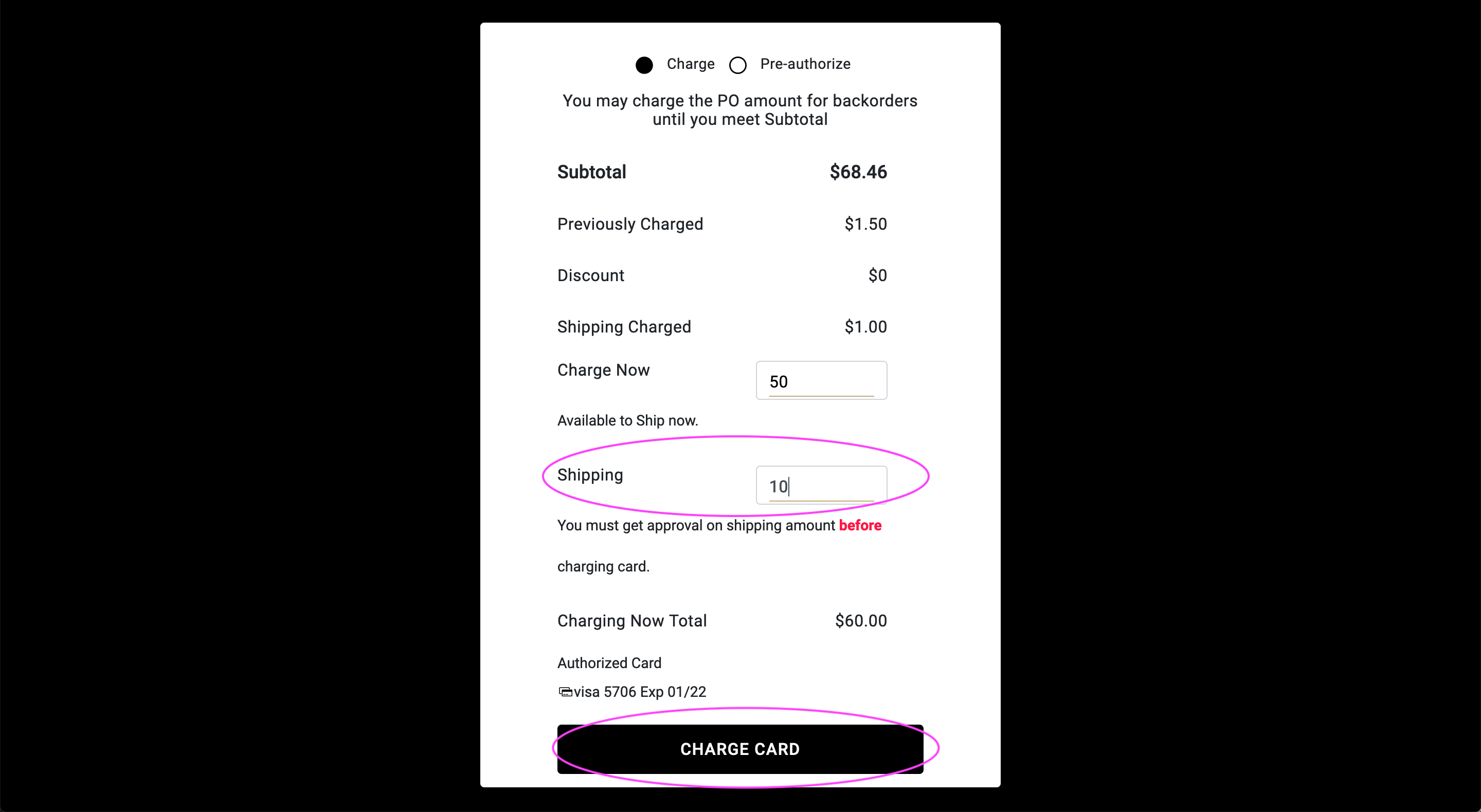
All your orders can be managed from your Workdesk.
That's it, you're all set. Happy ordering! Need help? Write to help@meetribbon.com
NOTE: The order writing feature is designed for writing orders at Shoppe Object only.
If you need a solution for writing at other trade shows, or require an independent B2B portal,
Click here to get in touch with a friendly Ribbon Team Member
Comments
0 comments
Please sign in to leave a comment.