
While you can always delete a product, this will delete that product entirely from the system. If that product has been sold, it will appear in red on the PO and if the PO has yet to be charged, you will be unable to charge for those deleted products.
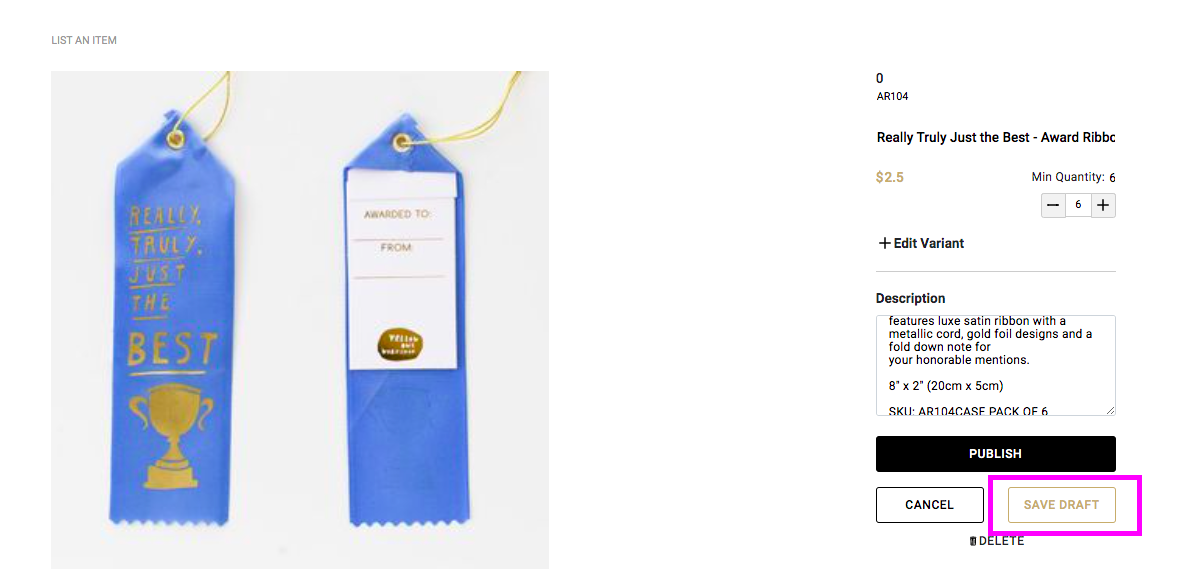
If you would like to keep a product in the system, however hide it from view or sales, then you may click on "Save Draft" to mark it as Inactive.
To mark a product as a Draft, click on Edit Profile, then click on the desired product, then click SAVE DRAFT - this will keep the product within the system and you may switch it to Active at anytime in order to bring it back into view and available for purchase. You may find draft products in your DRAFTS folder.
Comments
0 comments
Please sign in to leave a comment.