
You are able to edit orders in the POHQ screen, including orders that have been sent to the vendor for processing.
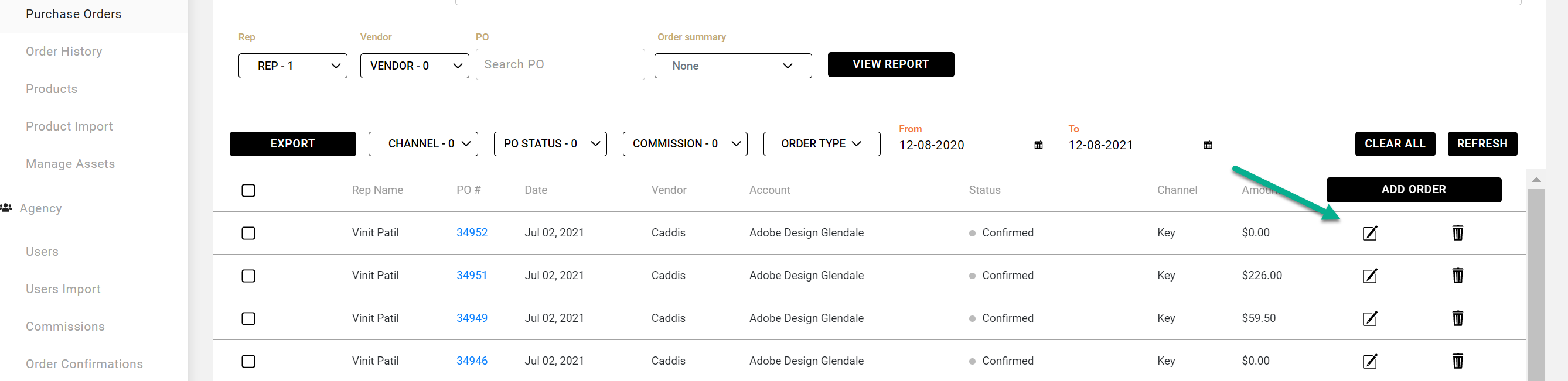
- Find the order in your woekdesk
- Click on the edit symbol for that order
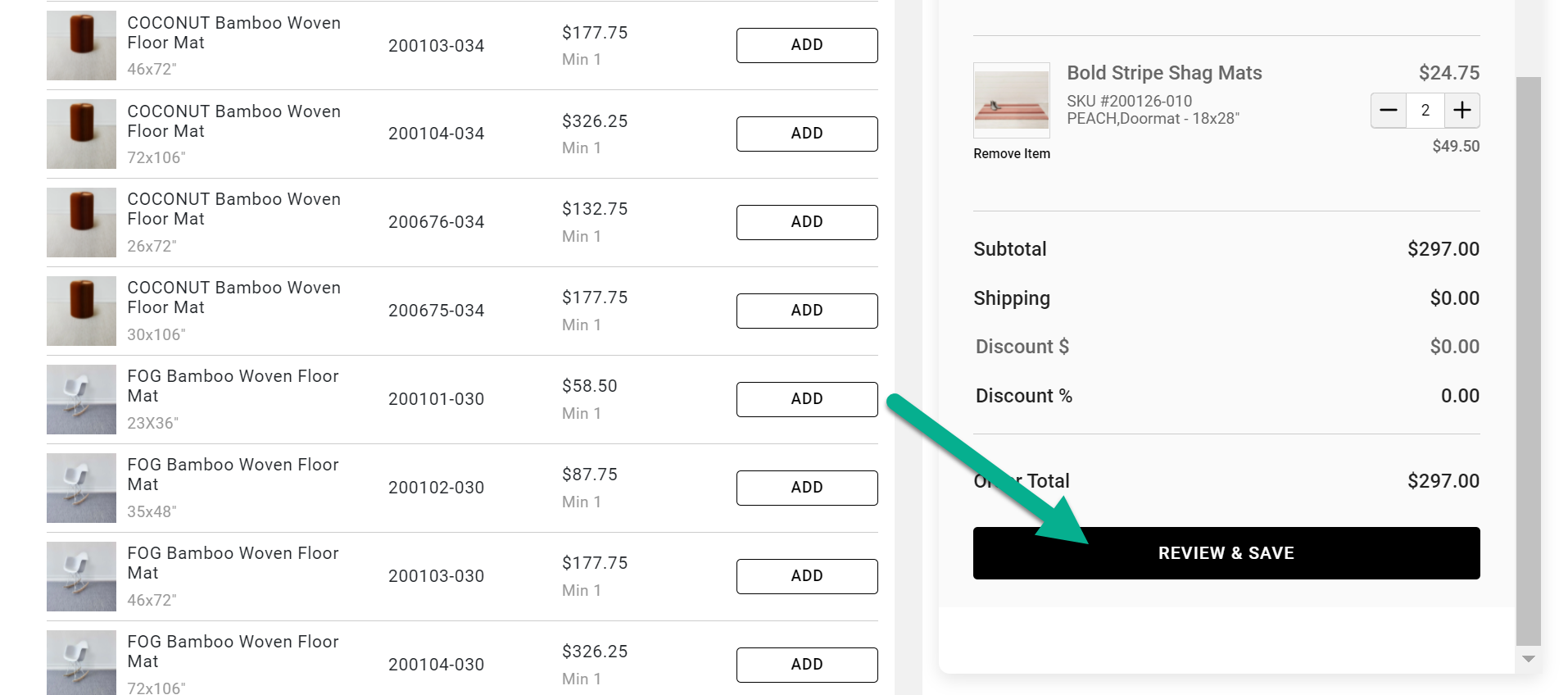
- Make changes to the order
- Click on Review & Save to take you back to the PO review screen
- Make additional edits if needed
-
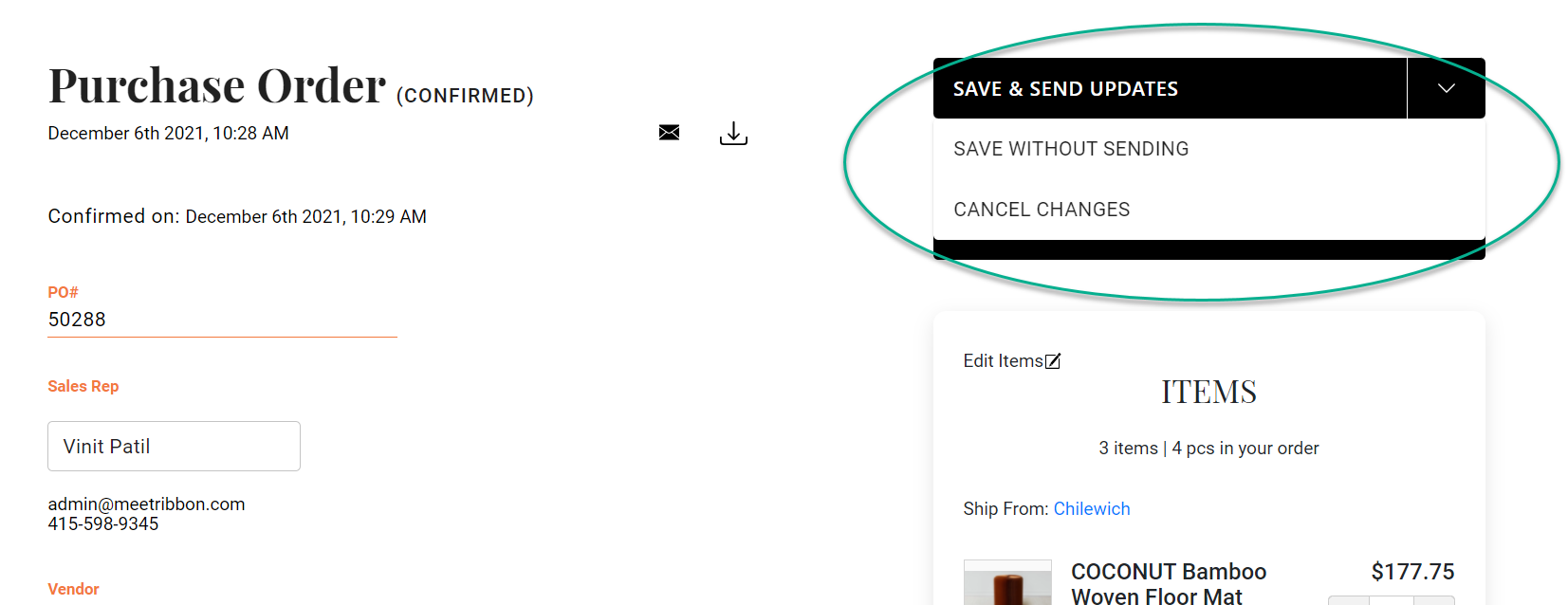
When finished with edits you must save your changes by clicking on
- Save & Send Updates, which will send a confirmation of the changes to both the vendor and buyer.
Or, you can click on the drop down menu and choose
- Save without Sending
- Cancel Changes
Note: You cannot edit fulfilled or canceled orders.
Comments
0 comments
Please sign in to leave a comment.