
To add the information about a direct order for record-keeping, follow the same steps you would to create a new purchase order.
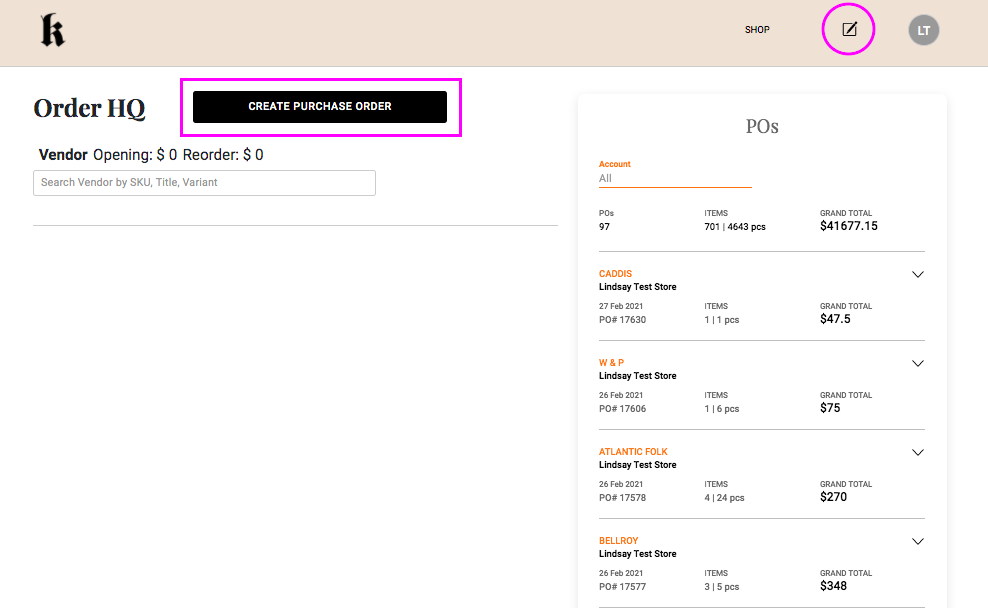
Go to your Order HQ and Create PO
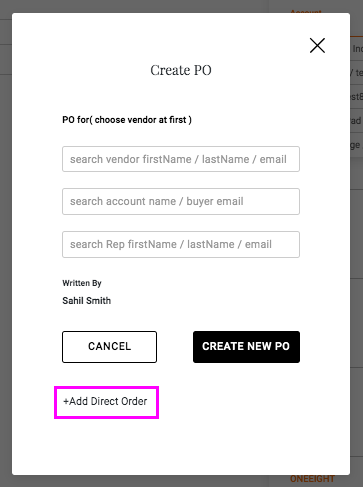
Click +Add Direct Order in the pop-up.
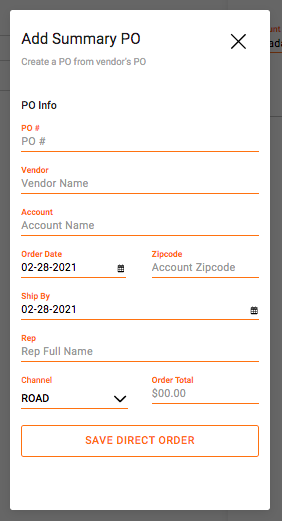
Then, enter the order information you wish to record in the new pop-up that will appear and click the Save Direct Order button.
Comments
0 comments
Please sign in to leave a comment.