
Think of the Workdesk as your dashboard for managing purchase orders, viewing your sales history, commissions information and managing your buyer’s information.
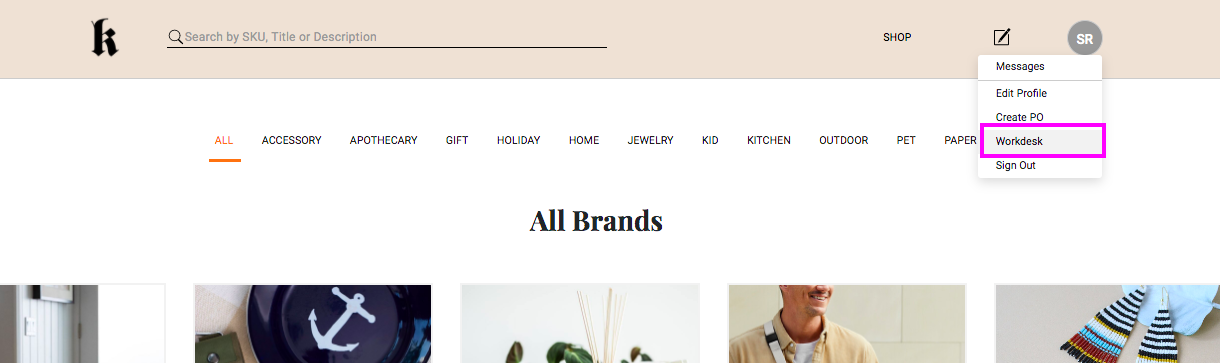
Log onto your Workdesk by going to the gray profile circle at the top right of your screen and clicking Workdesk.
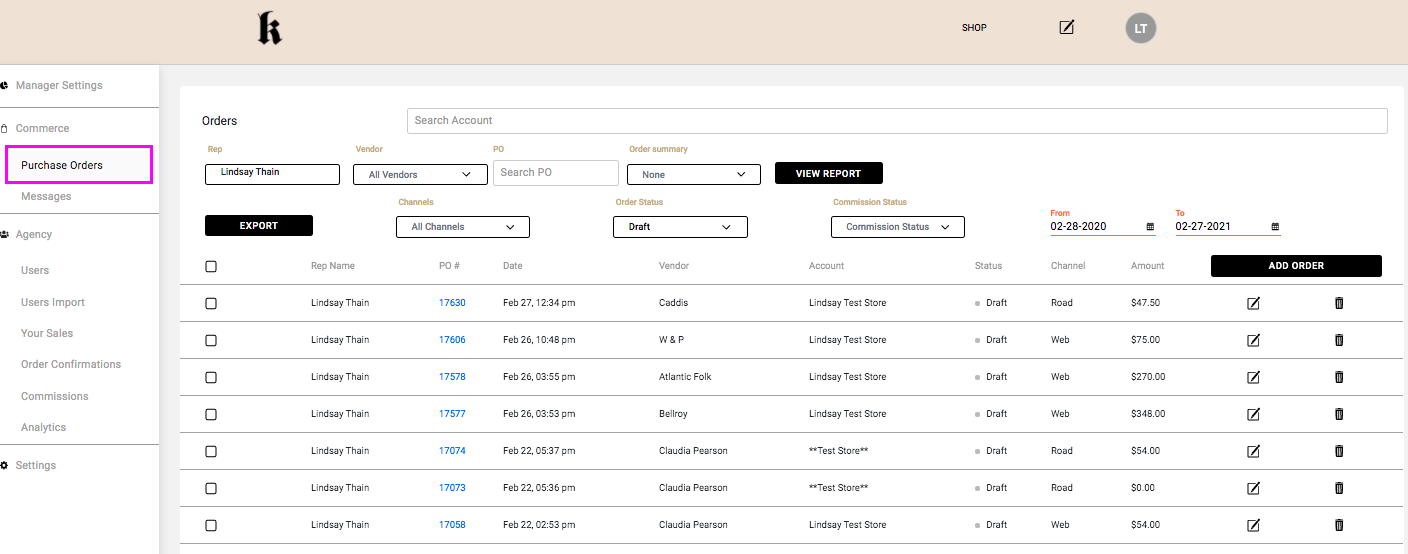
This will take you directly to the Purchase Orders section of your Workdesk. In this section you can view your orders, and using the filters at the top of your order list, you can narrow down based on vendor, date range, channel, order status, PO #, etc. You can also use the search bar to search by buyer email or account.
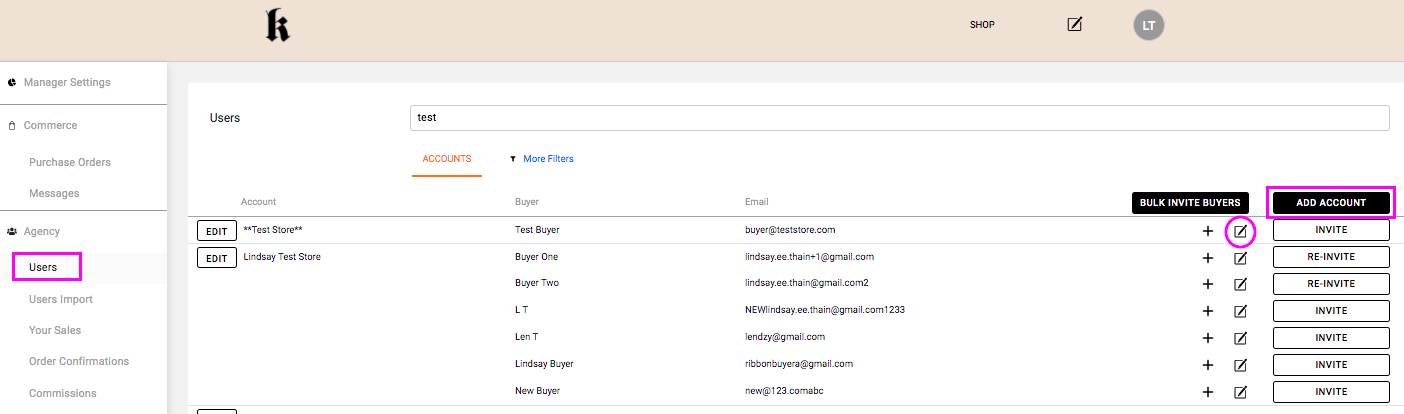
Under the Agency section of your Workdesk you will find your Users. This is a list of your accounts with all their corresponding buyer emails. Your agency will have imported your account information. From the Workdesk you can Invite your buyers to shop on Ribbon, you can manually Add Accounts that were not imported by your agency and you can add additional buyer emails to an account by clicking the + sign.
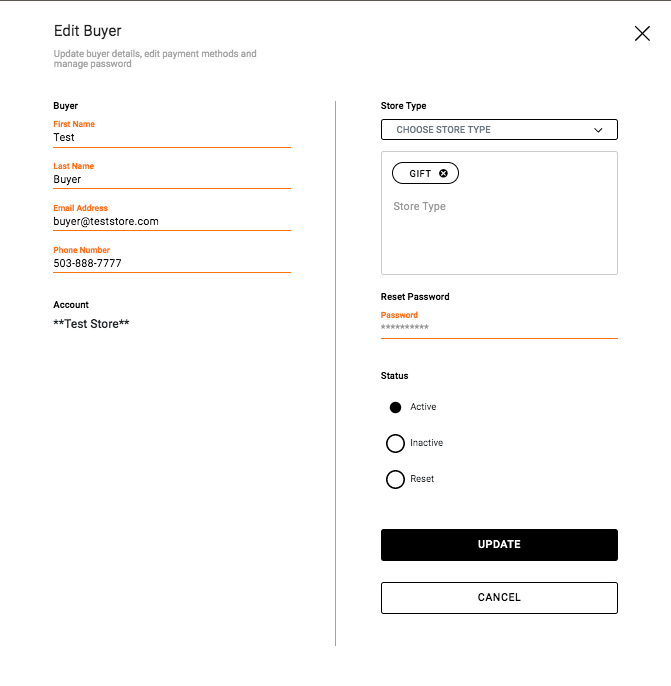
You can also Edit buyer information by clicking the  icon. This will open a pop-up where you can make any necessary changes. Once your changes are made, click Update to save them.
Comments
0 comments
Article is closed for comments.