
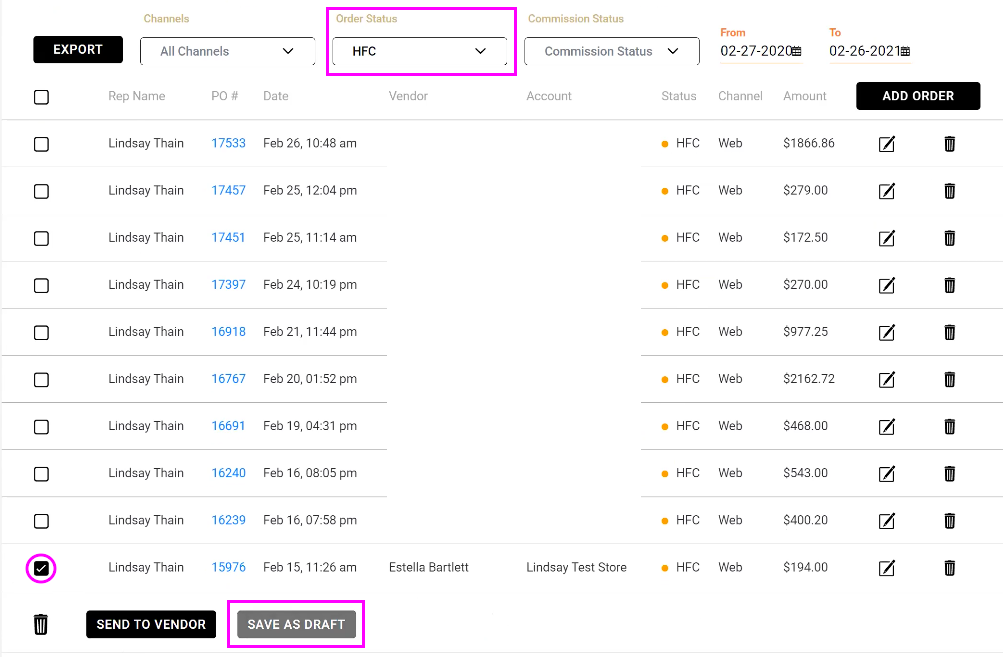
In order to cancel an HFC order, you must first revert it to Draft status. Locate your PO within your Wordesk by using the Order Status filter and setting it to HFC. This will show you a listing of all your HFC orders. Locate the PO you wish to revert to Draft status, check the box to the left of the PO and then click Save as Draft.
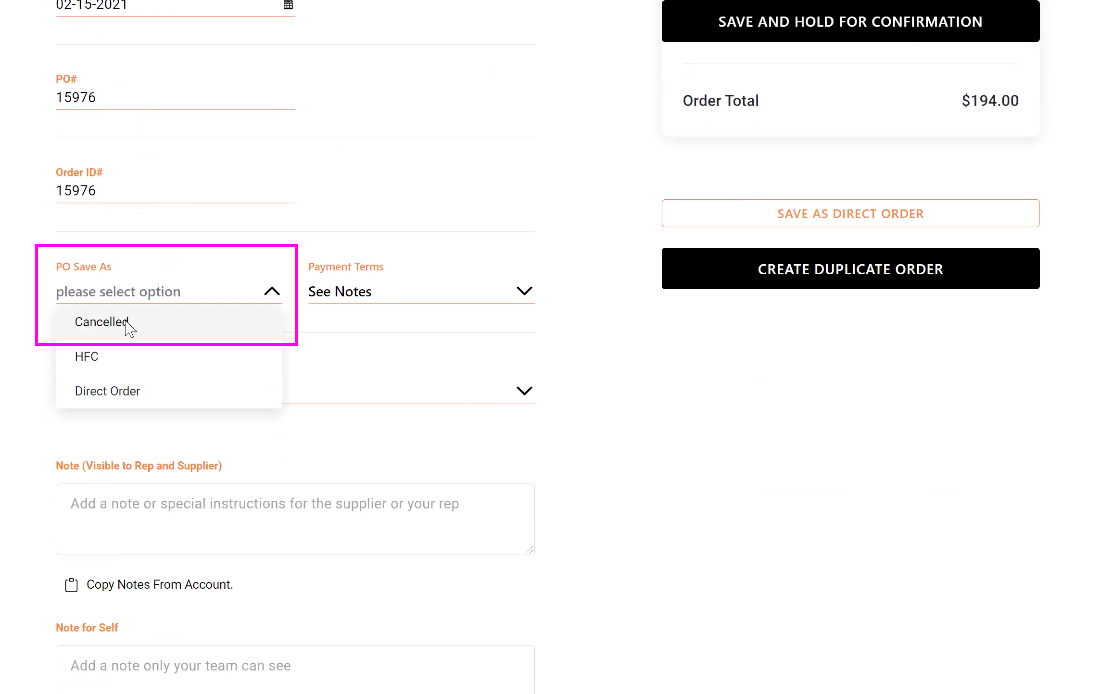
Now that your PO has been reverted to Draft status, go to the Purchase Order review screen by clicking the  icon. Using the PO Save As drop down menu, select Cancelled and click Save and Hold for Confirmation.
Comments
0 comments
Please sign in to leave a comment.