
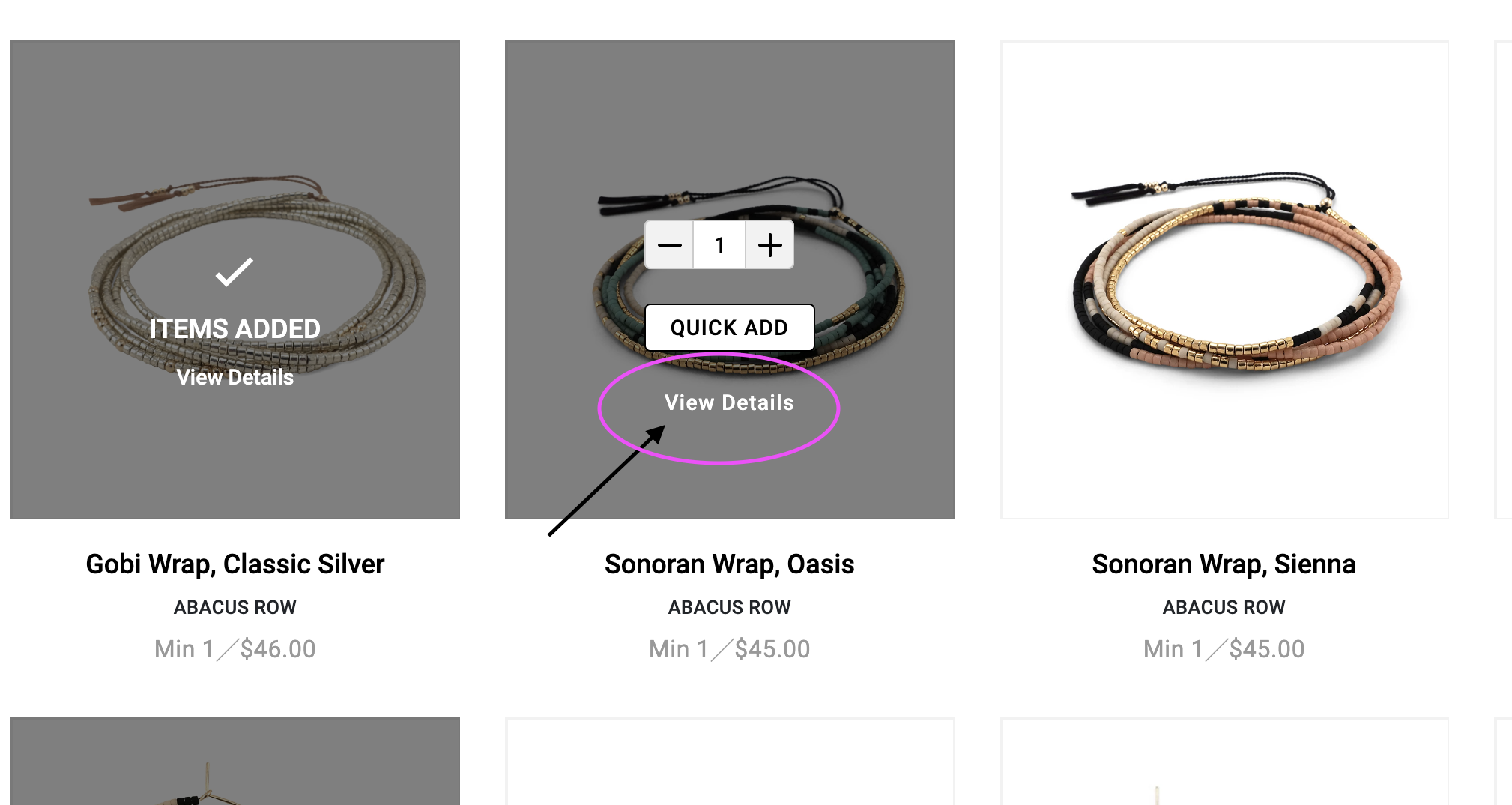
When writing an order with a customer in the Gallery view, use the view details to quickly show images and select sizes before moving onto the next product.
Do this by clicking View Details just below the Quick Add button on the product image.
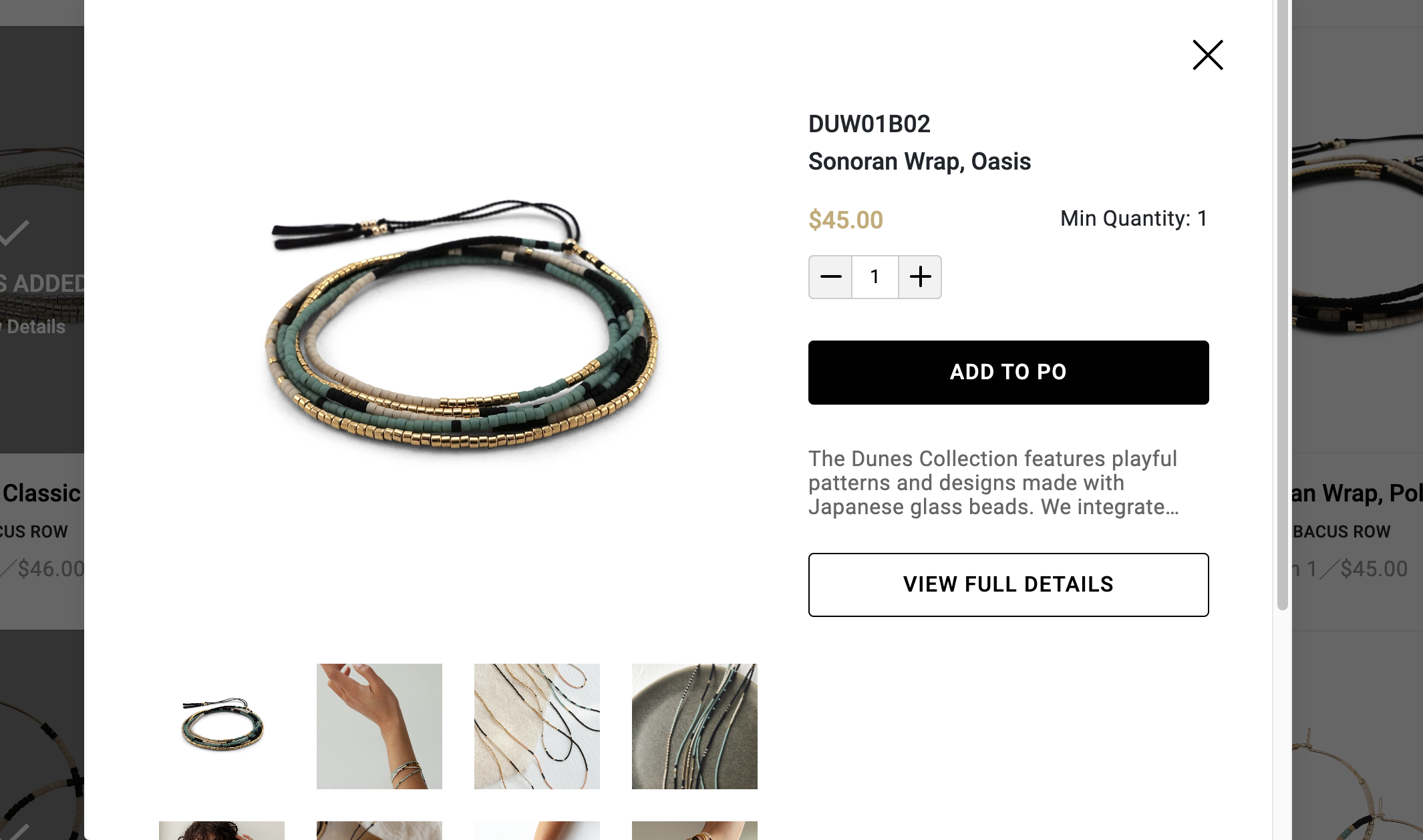
This will open up a popup where you can view all images, product info, variant sizes, etc. and proceed to Add to PO.
Comments
0 comments
Please sign in to leave a comment.